Chart position — tracked daily by LaunchShots
Screenshot changes — detected by LaunchShots
Screenshot style breakdown
Sampled from 6 of ТВОЕ's App Store screenshots — background, accent and theme, measured by LaunchShots (not something Apple publishes).
#343424 bg
#505042
#FC0404 accent
#FFFFFF text
Screenshots
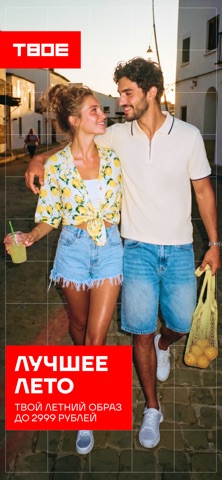
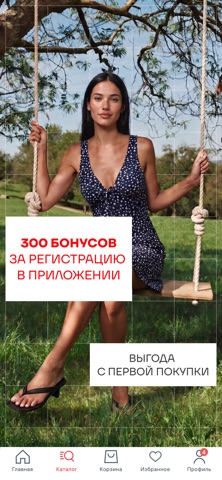


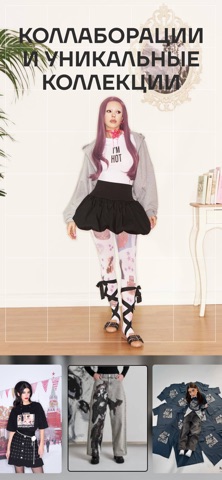
iPad screenshots


Icon palette
About this app
ТВОЕ — интернет-магазин одежды, обуви и аксессуаров, созданный специально для тебя. У нас регулярно выходят коллекции, созданные в сотрудничестве с мировыми брендами, музеями и российскими блогерами. ТВОЕ — твой любимый магазин! В приложении ТВОЕ доступно быстрое и удобное оформление заказа с доставкой по всей России. Мы предлагаем персональные рекомендации и сохраняем твою историю заказа. Попробуйте новые функции: сканер штрихкода и возможность забрать выбранную вещь в том магазине, где тебе удобно. За все покупки тебе начисляются бонусы, которыми можно расплачиваться в приложении, онлайн магазине и розничных магазинах ТВОЕ. Соверши свою первую покупку и получи 300 бонусов! Начни классный шопинг с ТВОЕ!
App details
What you can learn from ТВОЕ
Every shipping app on the App Store has gone through the same decisions you're working through right now: which screenshot goes first, what caption sits over it, which device frame to show, what color the background should be. The 10 screenshots above are ТВОЕ's answers to those questions — they're public, they're real, and they made it through Apple's review.
What the numbers say: ТВОЕ runs a mixed light-and-dark set where the background shifts from screenshot to screenshot (first shot #343424) — each image has to stand on its own, so the captions carry more of the story. The accent colour we picked up, #FC0404, is the one to reuse for badges, arrows and highlighted words if you borrow this look. Hit Use this style to open the editor with these exact colours and drop your own screenshot in.
Notice the first screenshot in particular. It's the one users see in search results and on the product page, and it's where most apps spend their best caption and tightest design. Look at the proportion of background to phone, where the text sits, what one thing the image is trying to communicate.
Want to see how other Shopping apps approach the same problem? Browse more Shopping apps in the showcase.
Take what works into your own screenshots
Open LaunchShots and design your App Store & Google Play screenshots — pick a device frame, drop captions, ship in minutes. Free, in your browser.
Open the screenshot editor →Apps with a similar look
Closest background + accent colours among the listings we've analysed — useful when you want to see the same palette handled by a different team.