Chart position — tracked daily by LaunchShots
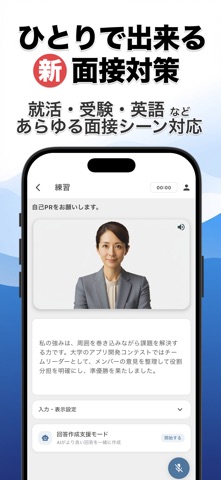
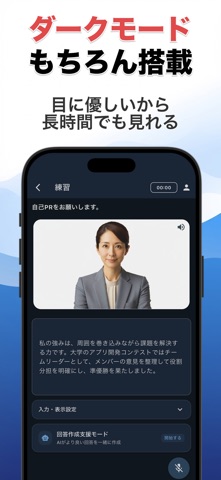
Screenshot style breakdown
Sampled from 6 of 面接練習アプリ | SpeakViz (就活・受験)'s App Store screenshots — background, accent and theme, measured by LaunchShots (not something Apple publishes).
#FCFCFC bg
#DDDDDD
#243C84 accent
#111111 text
Reading the caption text from the screenshots in your browser…
Screenshots


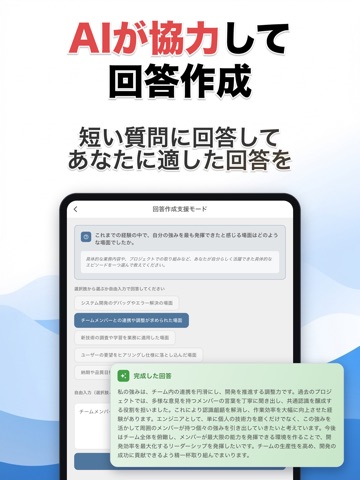
iPad screenshots



Icon palette
About this app
\AI面接官と「自信」を創る!/ SpeakViz(スピークビズ)は、あなたの面接対策を劇的に進化させる無料&登録不要のAI面接練習アプリです。面接の不安を、本番で使える「自信」に変える。 【新機能ハイライト】 ◆ 面接予定カウントダウン — 面接日を登録するとホーム画面に「あと◯日」を自動表示。企業名・業界・職種・選考ステージと紐付けて、本番までの準備を可視化。 ◆ 連続学習ストリーク — 1日1問の積み重ねを週間カレンダーとマイルストーンで見える化。継続が自然と習慣に。 ◆ AI回答作成支援 — AIと対話しながら、志望動機や自己PRをゼロから一緒に作れる。 ○なぜSpeakVizは面接練習対策に選ばれるのか? ・4つのAI機能で面接力を徹底強化 ① AI面接官との音声模擬面接:本番さながらの対話体験 ② AIパーソナライズ質問生成:業界・職種・企業に応じたあなた専用の質問 ③ AI回答作成支援:対話で志望動機・自己PRを一緒に構築 ④ AIアドバイス:論理性・具体性・熱意・表現力を多角評価 ・面接タイプ10種類に完全対応 新卒(民間/公務員)、転…
App details
What you can learn from 面接練習アプリ | SpeakViz (就活・受験)
Every shipping app on the App Store has gone through the same decisions you're working through right now: which screenshot goes first, what caption sits over it, which device frame to show, what color the background should be. The 14 screenshots above are 面接練習アプリ | SpeakViz (就活・受験)'s answers to those questions — they're public, they're real, and they made it through Apple's review.
What the numbers say: 面接練習アプリ | SpeakViz (就活・受験) runs a light set with one background colour (#FCFCFC) carried across every screenshot — the listing reads as a single poster when the shots sit side by side in search results. The accent colour we picked up, #243C84, is the one to reuse for badges, arrows and highlighted words if you borrow this look. Hit Use this style to open the editor with these exact colours and drop your own screenshot in.
Notice the first screenshot in particular. It's the one users see in search results and on the product page, and it's where most apps spend their best caption and tightest design. Look at the proportion of background to phone, where the text sits, what one thing the image is trying to communicate.
Want to see how other Business apps approach the same problem? Browse more Business apps in the showcase.
Take what works into your own screenshots
Open LaunchShots and design your App Store & Google Play screenshots — pick a device frame, drop captions, ship in minutes. Free, in your browser.
Open the screenshot editor →Apps with a similar look
Closest background + accent colours among the listings we've analysed — useful when you want to see the same palette handled by a different team.