Chart position — tracked daily by LaunchShots
Screenshot changes — detected by LaunchShots
Screenshot style breakdown
Sampled from 4 of 履歴書作成's App Store screenshots — background, accent and theme, measured by LaunchShots (not something Apple publishes).
#0464A4 bg
#2779B0
#F4D484 accent
#FFFFFF text
Reading the caption text from the screenshots in your browser…
Screenshots
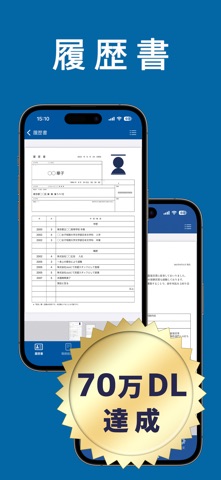


iPad screenshots


Icon palette
About this app
無料で使える履歴書作成アプリです。 履歴書・職務経歴書・送り状の作成が可能。 ・履歴書 厚生労働省作成の規格とJIS規格の両方に対応しています。 作成後はPDFでの出力や印刷、アプリ内にPDFの保存もできます。 名前、住所、学歴、職歴を手軽に入力。 志望動機や本人希望記入欄など履歴書に必要な項目がそろっています。 写真は既存の写真の中から必要な写真を選んで、任意の場所を切り抜く事が可能ですので他のアプリで撮影した写真の利用が可能です。 A3サイズ1枚での印刷、A4サイズ2枚での印刷、どちらでも可能です。 家庭用のプリンターでしたらA4サイズ2枚、コンビニで印刷する場合はA3サイズ1枚で出力したPDFをB4サイズ1枚で印刷すると市販の履歴書と同じサイズになります。 --------------------------------- ・職務経歴書 職務経歴書の作成にはテキスト・罫線・表・空白の各項目を自由に追加可能です。 作成した職務経歴書をPDF出力後は印刷・メール送信など任意の方法で利用してください。 テキスト フォントサイズ・余白・文字位置の変更 罫線 …
App details
What you can learn from 履歴書作成
Every shipping app on the App Store has gone through the same decisions you're working through right now: which screenshot goes first, what caption sits over it, which device frame to show, what color the background should be. The 8 screenshots above are 履歴書作成's answers to those questions — they're public, they're real, and they made it through Apple's review.
What the numbers say: 履歴書作成 runs a dark set with one background colour (#0464A4) carried across every screenshot — the listing reads as a single poster when the shots sit side by side in search results. The accent colour we picked up, #F4D484, is the one to reuse for badges, arrows and highlighted words if you borrow this look. Hit Use this style to open the editor with these exact colours and drop your own screenshot in.
Notice the first screenshot in particular. It's the one users see in search results and on the product page, and it's where most apps spend their best caption and tightest design. Look at the proportion of background to phone, where the text sits, what one thing the image is trying to communicate.
Want to see how other Productivity apps approach the same problem? Browse more Productivity apps in the showcase.
Take what works into your own screenshots
Open LaunchShots and design your App Store & Google Play screenshots — pick a device frame, drop captions, ship in minutes. Free, in your browser.
Open the screenshot editor →Apps with a similar look
Closest background + accent colours among the listings we've analysed — useful when you want to see the same palette handled by a different team.