Chart position — tracked daily by LaunchShots
Screenshot changes — detected by LaunchShots
Screenshot style breakdown
Sampled from 6 of La Terminal: Client Mosh & SSH's App Store screenshots — background, accent and theme, measured by LaunchShots (not something Apple publishes).
#FCC404 bg
#DDAC03
#144CB4 accent
#111111 text
Reading the caption text from the screenshots in your browser…
Screenshots



iPad screenshots





Icon palette
About this app
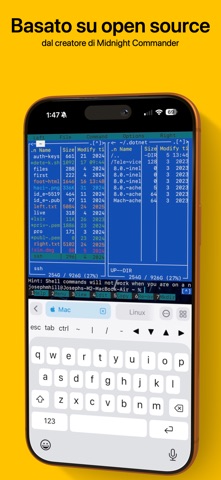
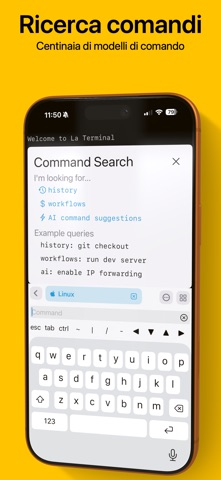
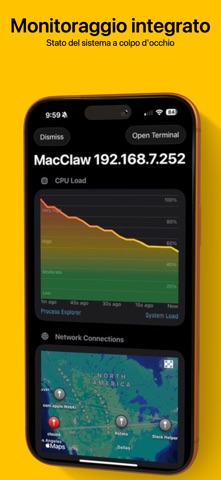
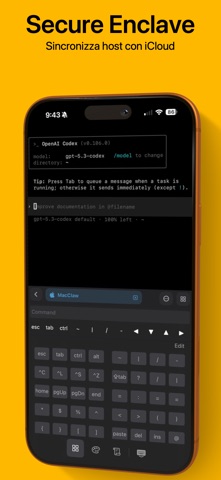
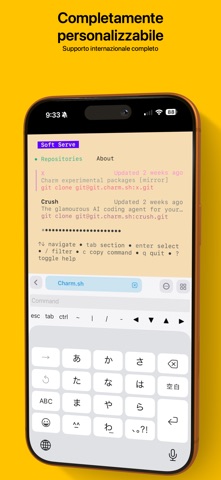
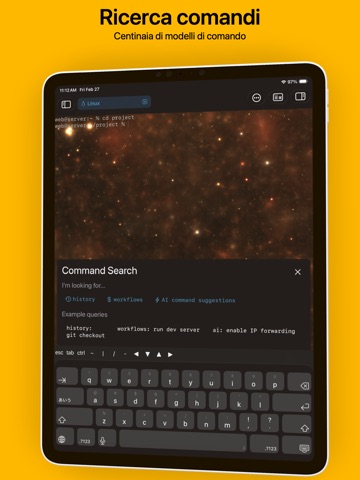
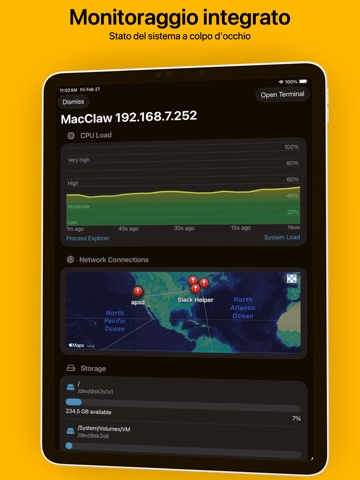
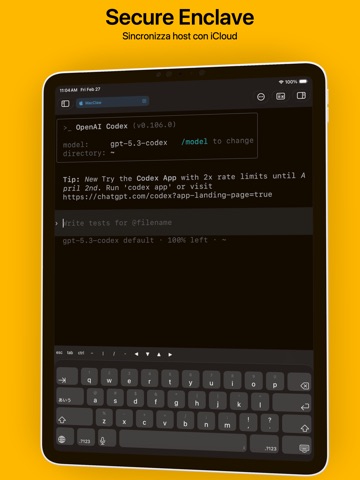
Benvenuto in La Terminal, il tuo centro di comando mobile per agenti di codifica IA. Connettiti da qualsiasi luogo a OpenAI Codex, Claude Code, GitHub Copilot CLI o OpenClaw, con supporto completo SSH e Mosh per sessioni resilienti e sempre attive. Più di una semplice shell, La Terminal offre un’esperienza touch completamente nativa per iPhone e iPad. Basato su open source: Creato dallo sviluppatore originale di Midnight Commander, offre un’emulazione Xterm/DEC VT basata su SwiftTerm. Ricerca comandi: Trova ed esegui rapidamente i comandi dal tuo storico e dai workflow. Assistente IA: Scrivi comandi Linux, Mac o Windows in linguaggio naturale. Esperienza visiva: Sfondo animati personalizzabili accelerati da GPU. Secure Enclave: Le chiavi private sono archiviate in modo sicuro e non in chiaro. Visualizzazioni potenti: Monitora CPU, memoria, disco e rete con strumenti nativi. iCl…
App details
What you can learn from La Terminal: Client Mosh & SSH
Every shipping app on the App Store has gone through the same decisions you're working through right now: which screenshot goes first, what caption sits over it, which device frame to show, what color the background should be. The 16 screenshots above are La Terminal: Client Mosh & SSH's answers to those questions — they're public, they're real, and they made it through Apple's review.
What the numbers say: La Terminal: Client Mosh & SSH runs a light set with one background colour (#FCC404) carried across every screenshot — the listing reads as a single poster when the shots sit side by side in search results. The accent colour we picked up, #144CB4, is the one to reuse for badges, arrows and highlighted words if you borrow this look. Hit Use this style to open the editor with these exact colours and drop your own screenshot in.
Notice the first screenshot in particular. It's the one users see in search results and on the product page, and it's where most apps spend their best caption and tightest design. Look at the proportion of background to phone, where the text sits, what one thing the image is trying to communicate.
Want to see how other Developer Tools apps approach the same problem? Browse more Developer Tools apps in the showcase.
Take what works into your own screenshots
Open LaunchShots and design your App Store & Google Play screenshots — pick a device frame, drop captions, ship in minutes. Free, in your browser.
Open the screenshot editor →Apps with a similar look
Closest background + accent colours among the listings we've analysed — useful when you want to see the same palette handled by a different team.