Chart position — tracked daily by LaunchShots
Screenshot changes — detected by LaunchShots
Screenshot style breakdown
Sampled from 6 of タクシーメーター : 料金シミュレーター's App Store screenshots — background, accent and theme, measured by LaunchShots (not something Apple publishes).
#FCC404 bg
#DDAC03
#4C3404 accent
#111111 text
Reading the caption text from the screenshots in your browser…
Screenshots



iPad screenshots

Icon palette
About this app
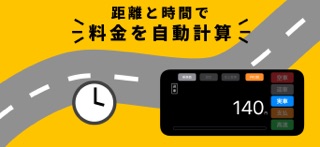
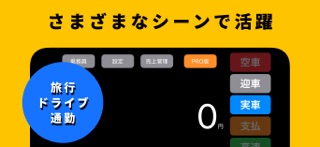
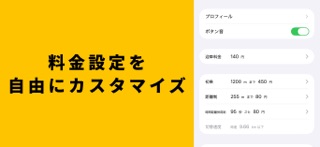
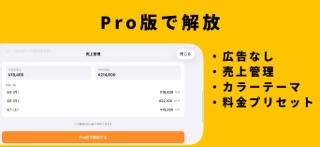
「もしここからタクシーに乗ったら、いくらかかる?」をリアルタイムで体験! タクシーメーターLiteは、GPSを使って移動距離や速度を測定し、タクシー運賃をリアルタイム表示できるシミュレーターです。 自転車、バイク、車、電車や新幹線まで。 いつもの移動を、楽しく可視化できます。 ■ 主な機能(無料) ・GPSによるリアルタイム計測 移動距離・速度・待機相当をもとに料金を計算 ・料金設定 初乗り、加算距離、時間距離併用、迎車料金に対応 ・深夜割増(自動) 時間帯に応じた割増計算に対応 ・シンプルで見やすいUI 横画面で大きな料金表示 ■ Proプラン(サブスクリプション) Pro期間中は、以下の機能をご利用いただけます。 ・広告非表示 ・カラーテーマ変更 ・売上管理 ・深夜割増の詳細設定(手動切替を含む) ・値上がりバー表示のカスタマイズ プランはアプリ内で選択できます。 (7日間プラン / 月額プラン / 年額プラン) ■ こんなシーンにおすすめ ・ドライブや散歩で「タクシーならいくら?」を楽しみたい ・お子さまとタクシーごっこ…
App details
What you can learn from タクシーメーター : 料金シミュレーター
Every shipping app on the App Store has gone through the same decisions you're working through right now: which screenshot goes first, what caption sits over it, which device frame to show, what color the background should be. The 8 screenshots above are タクシーメーター : 料金シミュレーター's answers to those questions — they're public, they're real, and they made it through Apple's review.
What the numbers say: タクシーメーター : 料金シミュレーター runs a light set with one background colour (#FCC404) carried across every screenshot — the listing reads as a single poster when the shots sit side by side in search results. The accent colour we picked up, #4C3404, is the one to reuse for badges, arrows and highlighted words if you borrow this look. Hit Use this style to open the editor with these exact colours and drop your own screenshot in.
Notice the first screenshot in particular. It's the one users see in search results and on the product page, and it's where most apps spend their best caption and tightest design. Look at the proportion of background to phone, where the text sits, what one thing the image is trying to communicate.
Want to see how other Travel apps approach the same problem? Browse more Travel apps in the showcase.
Take what works into your own screenshots
Open LaunchShots and design your App Store & Google Play screenshots — pick a device frame, drop captions, ship in minutes. Free, in your browser.
Open the screenshot editor →Apps with a similar look
Closest background + accent colours among the listings we've analysed — useful when you want to see the same palette handled by a different team.