Chart position — tracked daily by LaunchShots
Screenshot style breakdown
Sampled from 3 of ヒマラヤ's App Store screenshots — background, accent and theme, measured by LaunchShots (not something Apple publishes).
#FCFCFC bg
#DDDDDD
#04449C accent
#111111 text
Reading the caption text from the screenshots in your browser…
Screenshots
Icon palette
About this app
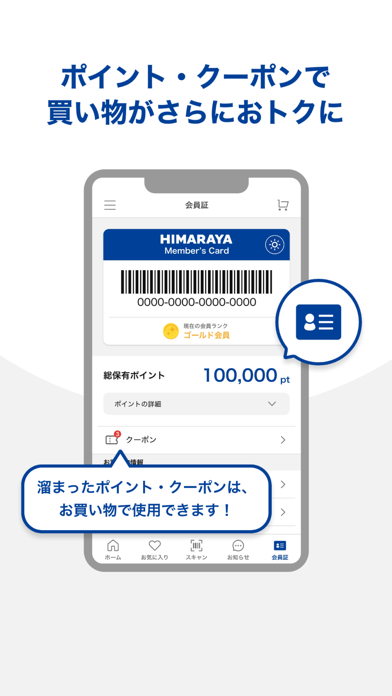
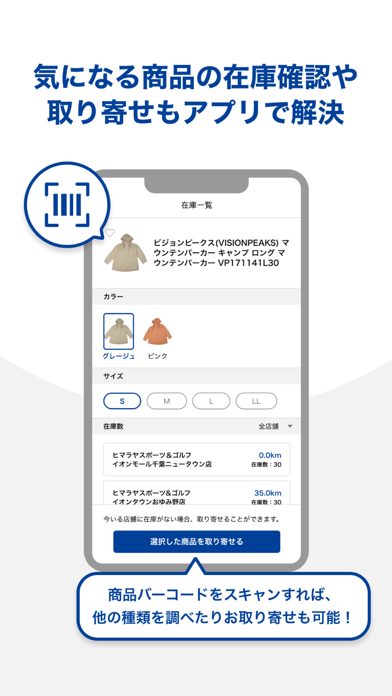
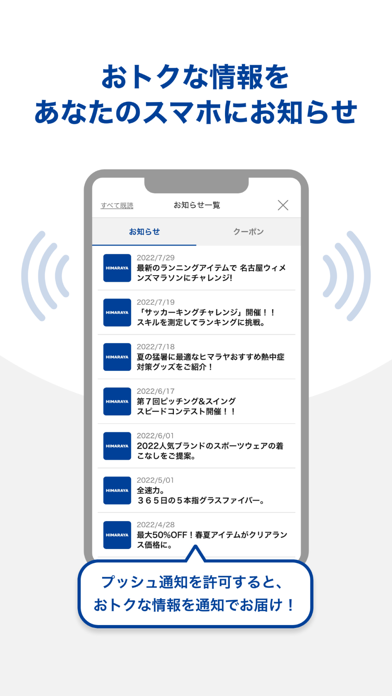
ヒマラヤ公式通販アプリのご紹介。 全国のヒマラヤ店舗やオンラインストアでのお買い物がもっと便利になります。 ●会員証 店舗でのお買い物に使えるヒマラヤメンバーズ会員証が簡単に表示できます。 ご利用可能ポイントやポイント有効期限などお客様ご自身のステータス確認がスムーズに行えます。 ヒマラヤメンバーズではないお客様もアプリから新規会員登録が可能です。 すでに会員登録済みでLINEID連携をしている方は、ダウンロード後簡単にログインできます。 ※ヒマラヤメンバーズは入会費、年会費等一切不要のヒマラヤ公式会員となります。 ●お知らせ セール情報やクーポン情報など気になる最新情報をいち早くプッシュ通知にてお届けします。 My店舗を登録することで、最寄りの店舗やお気に入りの店舗限定の情報も漏れなくキャッチできます。 アプリをダウンロードしたらプッシュ通知「ON」の設定をお願い致します。 ※プッシュ通知の「ON」「OFF」はあとからでも変更可能です。 ●お店の商品をアプリで検索 お店で気になる商品のバーコードをスキャンして商品情…
App details
What you can learn from ヒマラヤ
Every shipping app on the App Store has gone through the same decisions you're working through right now: which screenshot goes first, what caption sits over it, which device frame to show, what color the background should be. The 3 screenshots above are ヒマラヤ's answers to those questions — they're public, they're real, and they made it through Apple's review.
What the numbers say: ヒマラヤ runs a light set with one background colour (#FCFCFC) carried across every screenshot — the listing reads as a single poster when the shots sit side by side in search results. The accent colour we picked up, #04449C, is the one to reuse for badges, arrows and highlighted words if you borrow this look. Hit Use this style to open the editor with these exact colours and drop your own screenshot in.
Notice the first screenshot in particular. It's the one users see in search results and on the product page, and it's where most apps spend their best caption and tightest design. Look at the proportion of background to phone, where the text sits, what one thing the image is trying to communicate.
Want to see how other Shopping apps approach the same problem? Browse more Shopping apps in the showcase.
Take what works into your own screenshots
Open LaunchShots and design your App Store & Google Play screenshots — pick a device frame, drop captions, ship in minutes. Free, in your browser.
Open the screenshot editor →Apps with a similar look
Closest background + accent colours among the listings we've analysed — useful when you want to see the same palette handled by a different team.