Chart position — tracked daily by LaunchShots
Screenshot style breakdown
Sampled from 5 of セキュリティOne's App Store screenshots — background, accent and theme, measured by LaunchShots (not something Apple publishes).
#FCFCFC bg
#DDDDDD
#14848C accent
#111111 text
Reading the caption text from the screenshots in your browser…
Screenshots
iPad screenshots


Icon palette
About this app
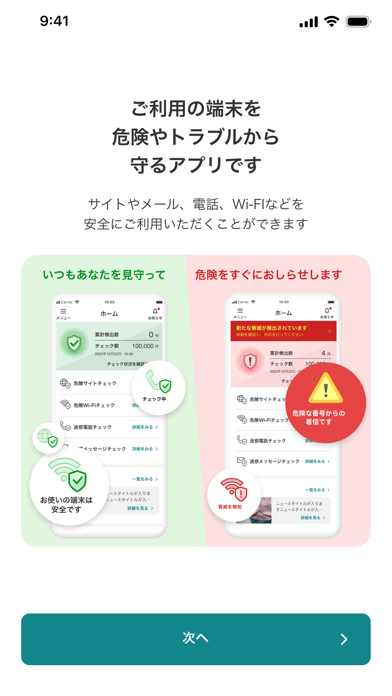
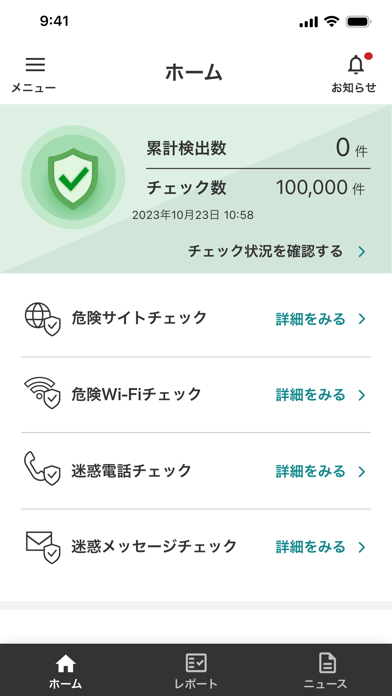
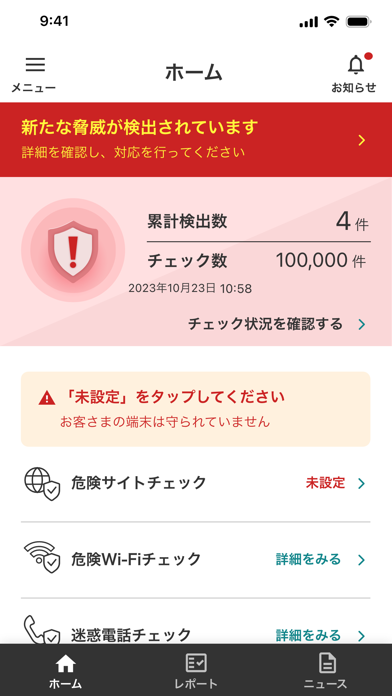
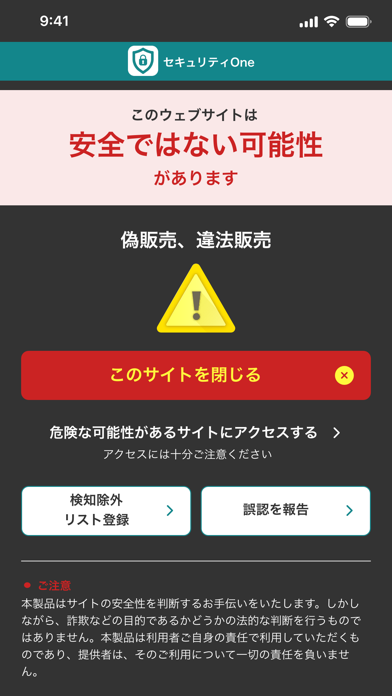
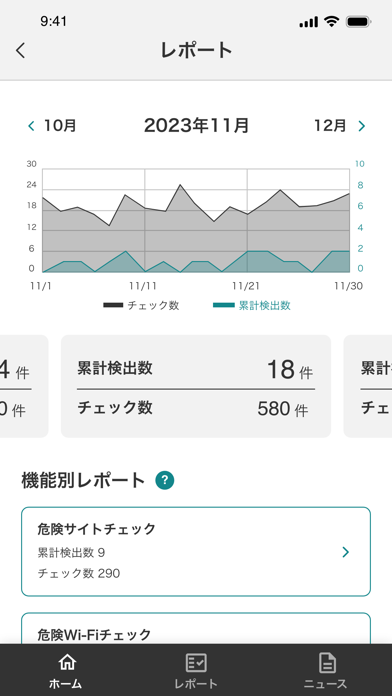
セキュリティOneはご利用の端末を危険やトラブルから守るアプリです。 サイトやメール、電話、Wi-Fiなどを安全にご利用いただけるよう危険を検知してお知らせします。 ■セキュリティOneの機能 ※iPadでは(1)・(2)の機能のみご利用いただけます。 (1)危険サイトチェック機能 設定いただくことで、Safariご利用時に詐欺サイトなどにアクセスした際に検知して危険をお知らせします。 (2)危険Wi-Fiチェック機能 Wi-Fi利用時に危険なWi-Fiへの接続や外部からの不正アクセスがないかを検知して警告画面でお知らせします。 (3)迷惑電話チェック機能 最新の迷惑電話番号リストをもとに、振り込め詐欺などの危険な電話番号からの着信を判断して、警告画面でお知らせまたは一括で着信拒否を行います。 また電話帳に登録がないお店や公共機関の名称を自動で着信時に表示します。 (4)迷惑メッセージチェック機能 メッセージに届いた迷惑メッセージを自動で検知して迷惑メッセージフォルダに自動で振り分けします。 (5)個人情報流出チェ…
App details
What you can learn from セキュリティOne
Every shipping app on the App Store has gone through the same decisions you're working through right now: which screenshot goes first, what caption sits over it, which device frame to show, what color the background should be. The 10 screenshots above are セキュリティOne's answers to those questions — they're public, they're real, and they made it through Apple's review.
What the numbers say: セキュリティOne runs a mixed light-and-dark set where the background shifts from screenshot to screenshot (first shot #FCFCFC) — each image has to stand on its own, so the captions carry more of the story. The accent colour we picked up, #14848C, is the one to reuse for badges, arrows and highlighted words if you borrow this look. Hit Use this style to open the editor with these exact colours and drop your own screenshot in.
Notice the first screenshot in particular. It's the one users see in search results and on the product page, and it's where most apps spend their best caption and tightest design. Look at the proportion of background to phone, where the text sits, what one thing the image is trying to communicate.
Want to see how other Utilities apps approach the same problem? Browse more Utilities apps in the showcase.
Take what works into your own screenshots
Open LaunchShots and design your App Store & Google Play screenshots — pick a device frame, drop captions, ship in minutes. Free, in your browser.
Open the screenshot editor →Apps with a similar look
Closest background + accent colours among the listings we've analysed — useful when you want to see the same palette handled by a different team.