Screenshot style breakdown
Sampled from 6 of 亚马逊购物's App Store screenshots — background, accent and theme, measured by LaunchShots (not something Apple publishes).
#FCFCFC bg
#DDDDDD
#FC6404 accent
#111111 text
Reading the caption text from the screenshots in your browser…
Screenshots


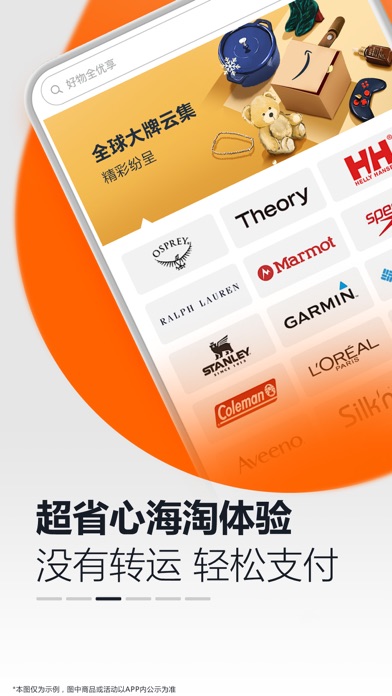


iPad screenshots


Icon palette
About this app
【关于亚马逊购物】 同步全球品质生活,尽在亚马逊购物App。获得生活奇妙灵感,解锁更多新奇海淘体验。 • 流畅购物体验:Lucky Red 元气红页面焕彩升级,搭配更清爽的本地化购物界面, 从搜索产品到支付再到商品交付,为您带来流畅便利的一站式购物体验。 • 精品全面覆盖:精选55万个国际品牌,35大品类,给您的购物车增添多一份质感和丰富的个性标签。 • 更多折扣惊喜:更多为中国顾客定制的专享折扣。新人下单还可享满减优惠*。一键领取,体验越买越“省”。 • 无忧海外物流:海外物流再提速,购物满300元免邮。支持订单物流状态追踪,购物全程透明,运费、进口税费明晰。更有跨境物流极速达,最快2日即刻抵达您的手中。 • 全中文客服上线:一周七天8:00-22:00,每日在线全年无休,随时解答您关于商品的问题。 *具体活动内容以APP内公示为准
App details
What you can learn from 亚马逊购物
Every shipping app on the App Store has gone through the same decisions you're working through right now: which screenshot goes first, what caption sits over it, which device frame to show, what color the background should be. The 12 screenshots above are 亚马逊购物's answers to those questions — they're public, they're real, and they made it through Apple's review.
What the numbers say: 亚马逊购物 runs a light set with one background colour (#FCFCFC) carried across every screenshot — the listing reads as a single poster when the shots sit side by side in search results. The accent colour we picked up, #FC6404, is the one to reuse for badges, arrows and highlighted words if you borrow this look. Hit Use this style to open the editor with these exact colours and drop your own screenshot in.
Notice the first screenshot in particular. It's the one users see in search results and on the product page, and it's where most apps spend their best caption and tightest design. Look at the proportion of background to phone, where the text sits, what one thing the image is trying to communicate.
Want to see how other Shopping apps approach the same problem? Browse more Shopping apps in the showcase.
Take what works into your own screenshots
Open LaunchShots and design your App Store & Google Play screenshots — pick a device frame, drop captions, ship in minutes. Free, in your browser.
Open the screenshot editor →Apps with a similar look
Closest background + accent colours among the listings we've analysed — useful when you want to see the same palette handled by a different team.