Chart position — tracked daily by LaunchShots
Screenshot changes — detected by LaunchShots
Screenshot style breakdown
Sampled from 5 of Prezzi Benzina's App Store screenshots — background, accent and theme, measured by LaunchShots (not something Apple publishes).
#FCFCFC bg
#DDDDDD
#3CBC84 accent
#111111 text
Screenshots


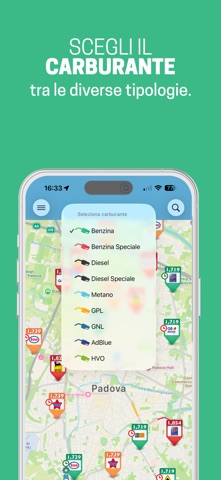


iPad screenshots


Icon palette
About this app
Trova in pochi secondi il distributore più economico vicino a te: prezzi ufficiali (e non) di oltre 26.000 stazioni in tutta Italia, aggiornati ogni 30 minuti. PREZZI UFFICIALI E AGGIORNATI I prezzi arrivano dal portale Osservaprezzi Carburanti del MIMIT, comunicati direttamente dai gestori. Hai visto un prezzo diverso alla pompa? Segnalalo con un tocco e aiuta tutta la community. TUTTI I CARBURANTI Benzina, diesel/gasolio, HVO, GPL, metano, GNL e AdBlue. Grandi marchi (Eni, Esso, IP, Q8, Shell, Tamoil) e pompe bianche indipendenti. ORARI DI PRESIDIO Se guidi un’auto a GPL o metano, puoi filtrare i distributori in base agli orari di presidio. AL VOLANTE? NESSUN PROBLEMA Grazie all’integrazione con CarPlay, puoi consultare le informazioni sui prezzi anche durante la guida, in modo più sicuro e senza distrazioni. INDICAZIONI SU MISURA Dopo aver scelto il distributore, lascia che la t…
App details
What you can learn from Prezzi Benzina
Every shipping app on the App Store has gone through the same decisions you're working through right now: which screenshot goes first, what caption sits over it, which device frame to show, what color the background should be. The 10 screenshots above are Prezzi Benzina's answers to those questions — they're public, they're real, and they made it through Apple's review.
What the numbers say: Prezzi Benzina runs a light set where the background shifts from screenshot to screenshot (first shot #FCFCFC) — each image has to stand on its own, so the captions carry more of the story. The accent colour we picked up, #3CBC84, is the one to reuse for badges, arrows and highlighted words if you borrow this look. Hit Use this style to open the editor with these exact colours and drop your own screenshot in.
Notice the first screenshot in particular. It's the one users see in search results and on the product page, and it's where most apps spend their best caption and tightest design. Look at the proportion of background to phone, where the text sits, what one thing the image is trying to communicate.
Want to see how other Reference apps approach the same problem? Browse more Reference apps in the showcase.
Take what works into your own screenshots
Open LaunchShots and design your App Store & Google Play screenshots — pick a device frame, drop captions, ship in minutes. Free, in your browser.
Open the screenshot editor →Apps with a similar look
Closest background + accent colours among the listings we've analysed — useful when you want to see the same palette handled by a different team.