Chart position — tracked daily by LaunchShots
Screenshot style breakdown
Sampled from 5 of 查找我的朋友's App Store screenshots — background, accent and theme, measured by LaunchShots (not something Apple publishes).
#E4F4FC bg
#C8D6DD
#74C43C accent
#111111 text
Screenshots

iPad screenshots


Icon palette
About this app
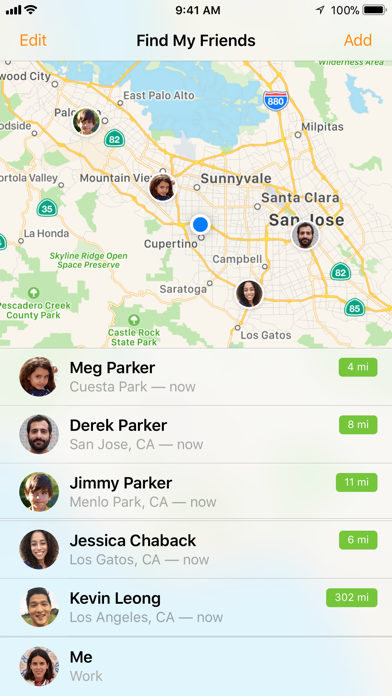
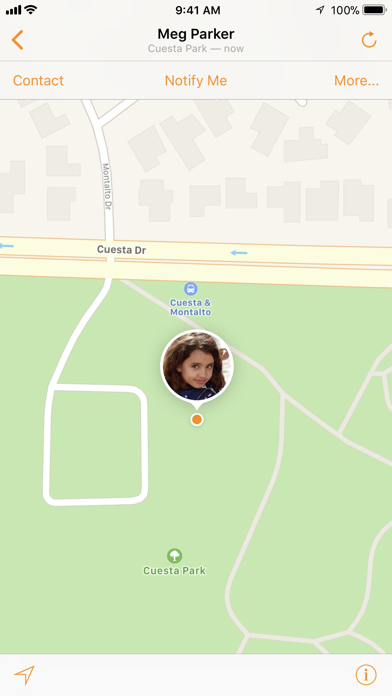
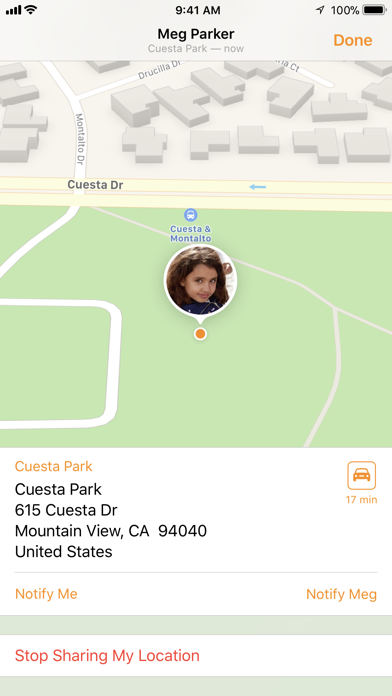
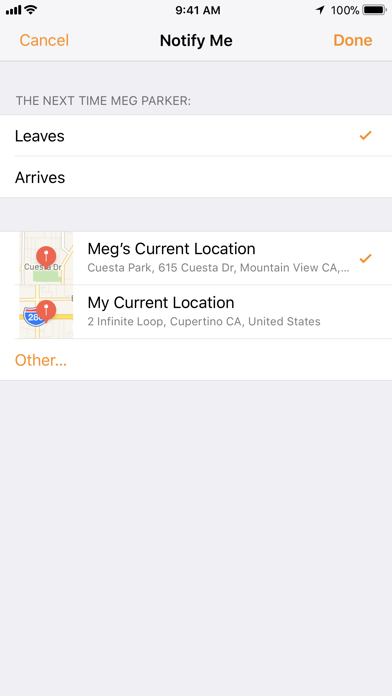
"“查找我的朋友”可以让您用 iPhone、iPad 或 iPod touch 轻松地找到朋友和家人。立即安装此 App 并邀请您的朋友共享他们的位置。只需从您的通讯录选择联系人或输入朋友的电子邮箱地址即可发出邀请。 当您的朋友在其设备上使用“查找我的朋友”App 接受您的邀请后,您就能立即开始定位他们的位置,并且此人也可以通过发送快速请求来定位您的位置。您可以在不希望被关注时随时切换到隐藏位置。 通过“查找我的朋友”,您可以设置位置变更通知,以便在朋友到达机场、孩子放学离开学校或家人安全到家时自动收到通知。您还可以设置通知,将自己的位置变更通知给您的朋友。 为获得最佳定位精度和通知性能,请确保您的设备已启用 Wi-Fi。 功能 • 轻松找到朋友和家人 • 位置变更通知 • 简单隐私控制 • 家长限制 • 对 iPhone、iPad 和 iPod touch 免费 • 暂时或永久共享您的位置。 • 使用 AirDrop 与附近的朋友快速共享您的位置。 • 使用电话号码或电子邮件地址共享您的位置,并邀请朋友共享他们的位置。 • 支持 3D Touch 支持以下语言:英文、阿拉伯文、澳大利亚…
App details
What you can learn from 查找我的朋友
Every shipping app on the App Store has gone through the same decisions you're working through right now: which screenshot goes first, what caption sits over it, which device frame to show, what color the background should be. The 10 screenshots above are 查找我的朋友's answers to those questions — they're public, they're real, and they made it through Apple's review.
What the numbers say: 查找我的朋友 runs a light set where the background shifts from screenshot to screenshot (first shot #E4F4FC) — each image has to stand on its own, so the captions carry more of the story. The accent colour we picked up, #74C43C, is the one to reuse for badges, arrows and highlighted words if you borrow this look. Hit Use this style to open the editor with these exact colours and drop your own screenshot in.
Notice the first screenshot in particular. It's the one users see in search results and on the product page, and it's where most apps spend their best caption and tightest design. Look at the proportion of background to phone, where the text sits, what one thing the image is trying to communicate.
Want to see how other Social Networking apps approach the same problem? Browse more Social Networking apps in the showcase.
Take what works into your own screenshots
Open LaunchShots and design your App Store & Google Play screenshots — pick a device frame, drop captions, ship in minutes. Free, in your browser.
Open the screenshot editor →Apps with a similar look
Closest background + accent colours among the listings we've analysed — useful when you want to see the same palette handled by a different team.