Screenshot style breakdown
Sampled from 3 of 屈臣氏台灣's App Store screenshots — background, accent and theme, measured by LaunchShots (not something Apple publishes).
#C4EC64 bg
#ACCF58
#F42C8C accent
#111111 text
Screenshots

Icon palette
About this app
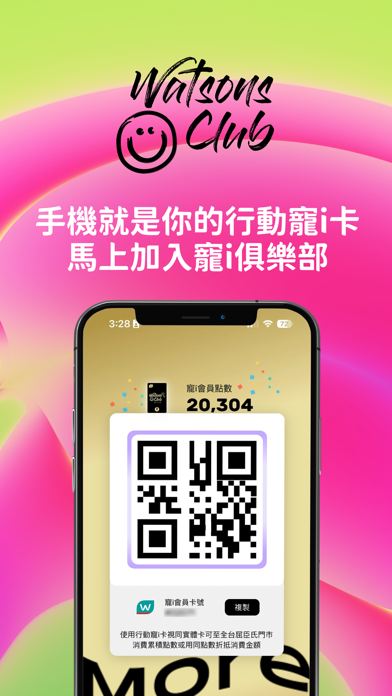
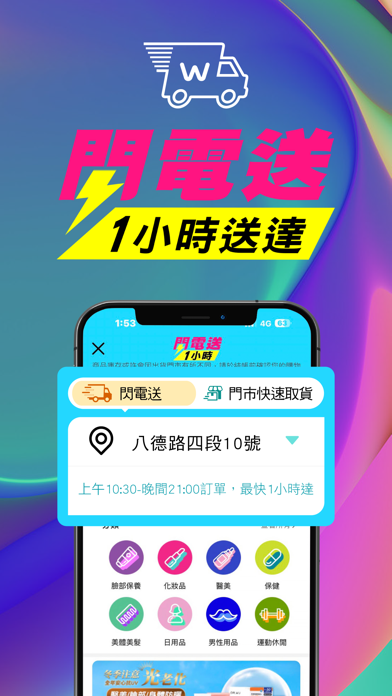
Watsons On the Go 你的第二個屈臣氏,24小時 全年無休 隨時想逛就逛!貼心滿足你的需求! Watsons行動寵i卡 註冊/綁定行動重i卡,一APP在手,會員消費累積、兌換超方便。 妝可愛 一鍵套用最Hot妝感 一鍵套用染髮色! 『全台最快』的快速到貨 閃電送最快1小時宅配到府 門市快速取貨,最快1小時內取貨 全台近600家門市皆可快速取貨,最快可於1小時內憑簡訊通知門市取貨。 手邊有想買的商品? 開啟相機就可以用APP找到! 支援拍照搜尋 及 條碼搜尋,邊逛賣場也可搜尋購物送到家 Watsons One Pass一卡隨享 優惠隨行 您的屈臣氏寵i卡可於各國屈臣氏旅遊購物時使用
App details
What you can learn from 屈臣氏台灣
Every shipping app on the App Store has gone through the same decisions you're working through right now: which screenshot goes first, what caption sits over it, which device frame to show, what color the background should be. The 3 screenshots above are 屈臣氏台灣's answers to those questions — they're public, they're real, and they made it through Apple's review.
What the numbers say: 屈臣氏台灣 runs a mixed light-and-dark set where the background shifts from screenshot to screenshot (first shot #C4EC64) — each image has to stand on its own, so the captions carry more of the story. The accent colour we picked up, #F42C8C, is the one to reuse for badges, arrows and highlighted words if you borrow this look. Hit Use this style to open the editor with these exact colours and drop your own screenshot in.
Notice the first screenshot in particular. It's the one users see in search results and on the product page, and it's where most apps spend their best caption and tightest design. Look at the proportion of background to phone, where the text sits, what one thing the image is trying to communicate.
Want to see how other Shopping apps approach the same problem? Browse more Shopping apps in the showcase.
Take what works into your own screenshots
Open LaunchShots and design your App Store & Google Play screenshots — pick a device frame, drop captions, ship in minutes. Free, in your browser.
Open the screenshot editor →Apps with a similar look
Closest background + accent colours among the listings we've analysed — useful when you want to see the same palette handled by a different team.