Chart position — tracked daily by LaunchShots
Screenshot style breakdown
Sampled from 6 of 阿里巴巴(1688)-货源批发采购进货市场's App Store screenshots — background, accent and theme, measured by LaunchShots (not something Apple publishes).
#FCB47C bg
#DD9E6D
#FC7C2C accent
#111111 text
Screenshots

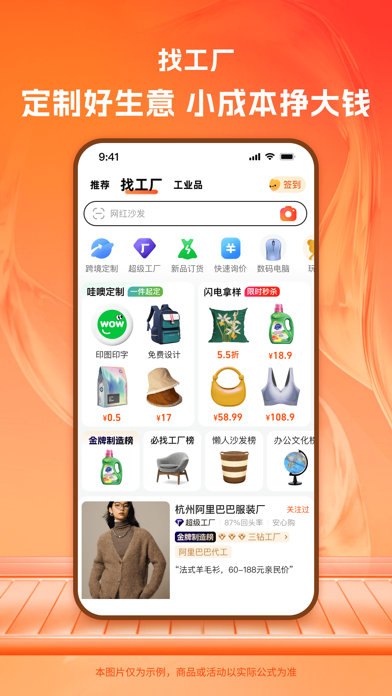
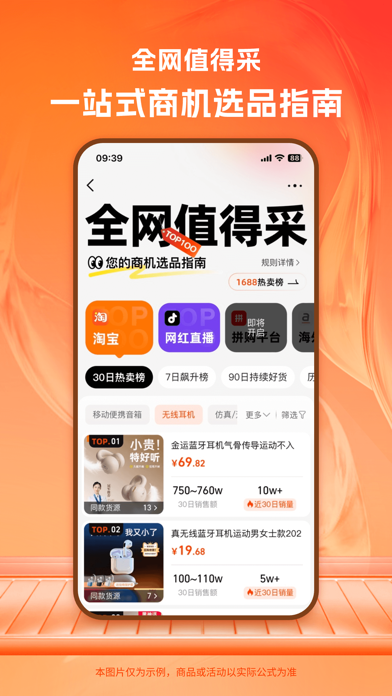
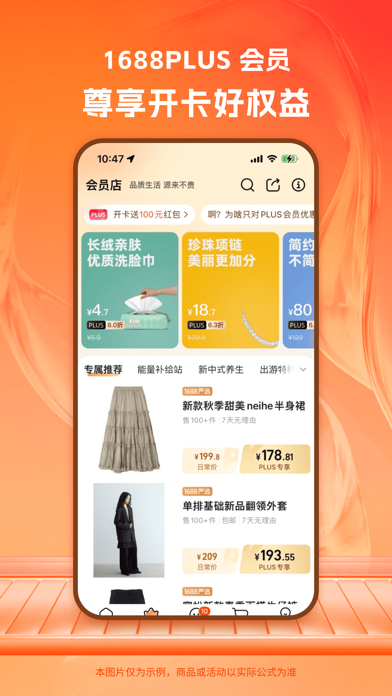

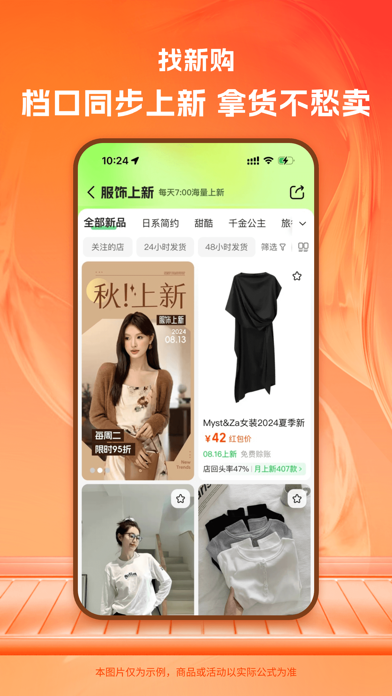
Icon palette
About this app
【阿里巴巴1688简介】 阿里巴巴1688是专业的B2B电商批发采购平台,云集了大量的淘宝卖家、天猫商城卖家、微店卖家、微商卖家、千牛用户、旺旺卖家(旺信)、线下致富创业开店者,义乌购批发卖家,通过手机下载阿里巴巴APP也可帮助微商、微店网购识货挑货,招商加盟,支持一件代发,服装批发等业务。用户可在平台上找到各种品类货源(时尚女装、男装、母婴、家装建材、玩具、家居用品、日用百货、手机壳批发等)。 【1688特色】 拥有各式各样的淘宝、天猫商城、苏宁易购等电商购物平台卖家货源,源头好货,新品快订任您挑选,一键识货挑货,是您的商机助理,寻源进货好帮手,也提供政府采购货源,商家支持旺旺、阿里邮箱沟通,手机旺旺(旺信)同步在线。 【找货神器-批发找货源的好帮手】 1688批发网开发的找货神器是为各大电商平台(支持海外电商平台)卖家提供一键找货源的工具,在APP上可以将看到的衣服或者商品图片保存到手机本地,然后用APP上的图片找货源功能在1688上找到同款或者相似款的批发货源 丰富货源:各大电商平台同款货源对接 利润更优:优质货源利…
App details
What you can learn from 阿里巴巴(1688)-货源批发采购进货市场
Every shipping app on the App Store has gone through the same decisions you're working through right now: which screenshot goes first, what caption sits over it, which device frame to show, what color the background should be. The 6 screenshots above are 阿里巴巴(1688)-货源批发采购进货市场's answers to those questions — they're public, they're real, and they made it through Apple's review.
What the numbers say: 阿里巴巴(1688)-货源批发采购进货市场 runs a light set with one background colour (#FCB47C) carried across every screenshot — the listing reads as a single poster when the shots sit side by side in search results. The accent colour we picked up, #FC7C2C, is the one to reuse for badges, arrows and highlighted words if you borrow this look. Hit Use this style to open the editor with these exact colours and drop your own screenshot in.
Notice the first screenshot in particular. It's the one users see in search results and on the product page, and it's where most apps spend their best caption and tightest design. Look at the proportion of background to phone, where the text sits, what one thing the image is trying to communicate.
Want to see how other Shopping apps approach the same problem? Browse more Shopping apps in the showcase.
Take what works into your own screenshots
Open LaunchShots and design your App Store & Google Play screenshots — pick a device frame, drop captions, ship in minutes. Free, in your browser.
Open the screenshot editor →Apps with a similar look
Closest background + accent colours among the listings we've analysed — useful when you want to see the same palette handled by a different team.