Screenshots


Icon palette
About this app
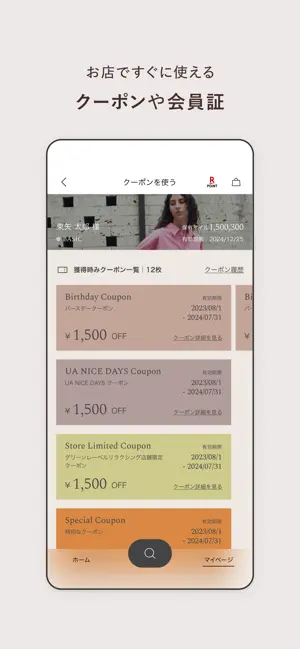
もっと使いやすく、もっと楽しく。 あなたに寄り添う「おもてなしアプリ」へ。 UA オンライン公式ファッション通販アプリで、すてきなお買い物体験 旬なニュースや特集、スタッフスタイリングなど、ファッションにまつわる豊富なコンテンツをご覧いただきながらお買い物ができるユナイテッドアローズ オンライン公式アプリです。 レディース・メンズ・キッズまで幅広く、ユナイテッドアローズで取扱っている多数の人気ブランドから商品が探せます。定番やトレンドはもちろん、ここにしかない限定品も取扱中。 \初めてのアプリご利用限定/ アプリをはじめてインストールし、会員登録またはログインを完了すると、UAマイルを2,000マイルプレゼント! ■ユナイテッドアローズ オンライン公式アプリの特徴 ●お店でのお買い物が便利になる店内モード お店だけで使える「店内モード」では、アプリでお気に入り登録をした商品やお店で気になったアイテムの在庫が確認できるほか、バーコードスキャンをつかえば商品の詳細情報やスタイリングも見られる機能。お店でもあな…
App details
What you can learn from ユナイテッドアローズ オンライン公式アプリ
Every shipping app on the App Store has gone through the same decisions you're working through right now: which screenshot goes first, what caption sits over it, which device frame to show, what color the background should be. The 6 screenshots above are ユナイテッドアローズ オンライン公式アプリ's answers to those questions — they're public, they're real, and they made it through Apple's review.
Notice the first screenshot in particular. It's the one users see in search results and on the product page, and it's where most apps spend their best caption and tightest design. Look at the proportion of background to phone, where the text sits, what one thing the image is trying to communicate.
Want to see how other Shopping apps approach the same problem? Browse more Shopping apps in the showcase.
Take what works into your own screenshots
Open LaunchShots and design your App Store & Google Play screenshots — pick a device frame, drop captions, ship in minutes. Free, in your browser.
Open the screenshot editor →