Screenshot style breakdown
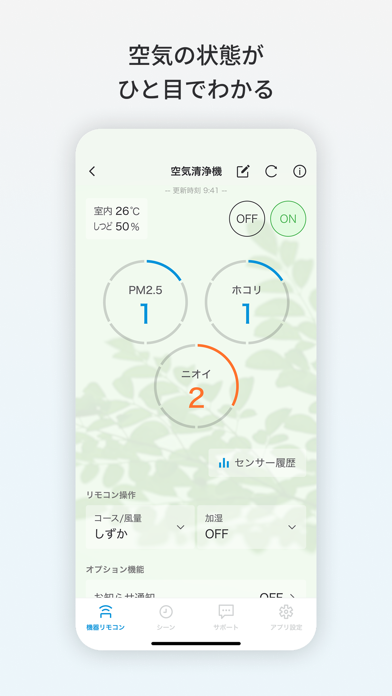
Sampled from 5 of Daikin Smart APP's App Store screenshots — background, accent and theme, measured by LaunchShots (not something Apple publishes).
#ECF4FC bg
#CFD6DD
#74C4EC accent
#111111 text
Screenshots



iPad screenshots


Icon palette
About this app
【ダイキン スマートリモート コントロール】 ■専用のアプリで、お使いのスマートフォンやタブレットPCが、エアコンや空気清浄機やサーキュレーターのリモコンに早変わり。 ■家の中でも外出先でも、自在にエアコンや空気清浄機やサーキュレーターの操作が行え、お部屋の温度や空気の状態を確認できます。 ◇本アプリのご使用には、以下のいずれかが必要です。 ・LAN接続アダプター(BRP072A41、BRP061A41、BRP051A41、BRP072A44、BRP084B41、BRP084C41、BRP087A41、BRP087A42、BRP087A43)を接続したダイキン工業株式会社ルームエアコン ・無線LAN接続機能内蔵のダイキン工業株式会社ルームエアコン ・無線LAN接続機能内蔵のダイキン工業株式会社空気清浄機 ・無線LAN接続機能内蔵のダイキン工業株式会社サーキュレーター ◇また、ブロードバンドルーター、無線LANアクセスポイントが必要です。 【Daikin Smart Appの主な特徴】 ◆運転操作(家の中でも、外出先でも) ◆スケジュール設定 生活スタイルに合わせて、曜日や時間、運転モードなどを指定…
App details
What you can learn from Daikin Smart APP
Every shipping app on the App Store has gone through the same decisions you're working through right now: which screenshot goes first, what caption sits over it, which device frame to show, what color the background should be. The 12 screenshots above are Daikin Smart APP's answers to those questions — they're public, they're real, and they made it through Apple's review.
What the numbers say: Daikin Smart APP runs a light set with one background colour (#ECF4FC) carried across every screenshot — the listing reads as a single poster when the shots sit side by side in search results. The accent colour we picked up, #74C4EC, is the one to reuse for badges, arrows and highlighted words if you borrow this look. Hit Use this style to open the editor with these exact colours and drop your own screenshot in.
Notice the first screenshot in particular. It's the one users see in search results and on the product page, and it's where most apps spend their best caption and tightest design. Look at the proportion of background to phone, where the text sits, what one thing the image is trying to communicate.
Want to see how other Lifestyle apps approach the same problem? Browse more Lifestyle apps in the showcase.
Take what works into your own screenshots
Open LaunchShots and design your App Store & Google Play screenshots — pick a device frame, drop captions, ship in minutes. Free, in your browser.
Open the screenshot editor →Apps with a similar look
Closest background + accent colours among the listings we've analysed — useful when you want to see the same palette handled by a different team.