Chart position — tracked daily by LaunchShots
Screenshot changes — detected by LaunchShots
Screenshot style breakdown
Sampled from 6 of билайн's App Store screenshots — background, accent and theme, measured by LaunchShots (not something Apple publishes).
#ECF4F4 bg
#CFD6D6
#FCCC04 accent
#111111 text
Screenshots

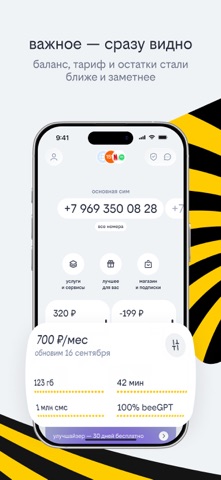
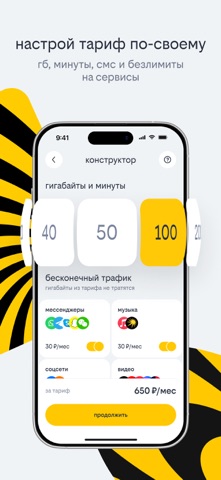


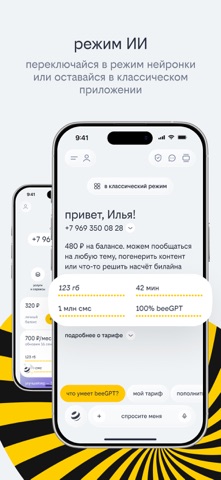
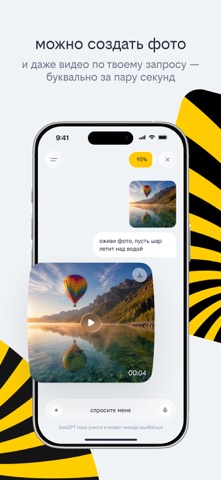

iPad screenshots


Icon palette
About this app
здесь всё, что связано со связью — и больше. баланс, eSIM, виртуальный номер, тарифы, роуминг, расходы, смс, семейные группы, нейросети и круглосуточная поддержка — всё на месте управляйте связью так, как удобно именно вам: — пополняйте баланс номера и оплачивайте покупки — подключайте есим Россия за несколько минут — покупайте сим-карты или esim для близких и умных устройств — меняйте тариф, добавляйте ГБ, минуты на звонки, SMS и безлимит на интернет — управляйте своими номерами и номерами близких — подключайте роуминг для спокойного путешествия или оформляйте travel esim — проверяйте расходы и скачивайте детализацию — оставайтесь на связи даже в минусе с обещанным платежом и поддержкой при нуле заметили в начале про нейросети? да — они сгенерируют контент, помогут с домашкой, напишут сценарий для поздравительного ролика пробуйте — всё покорится вашей фантазии прямо на главн…
App details
What you can learn from билайн
Every shipping app on the App Store has gone through the same decisions you're working through right now: which screenshot goes first, what caption sits over it, which device frame to show, what color the background should be. The 15 screenshots above are билайн's answers to those questions — they're public, they're real, and they made it through Apple's review.
What the numbers say: билайн runs a light set with one background colour (#ECF4F4) carried across every screenshot — the listing reads as a single poster when the shots sit side by side in search results. The accent colour we picked up, #FCCC04, is the one to reuse for badges, arrows and highlighted words if you borrow this look. Hit Use this style to open the editor with these exact colours and drop your own screenshot in.
Notice the first screenshot in particular. It's the one users see in search results and on the product page, and it's where most apps spend their best caption and tightest design. Look at the proportion of background to phone, where the text sits, what one thing the image is trying to communicate.
Want to see how other Utilities apps approach the same problem? Browse more Utilities apps in the showcase.
Take what works into your own screenshots
Open LaunchShots and design your App Store & Google Play screenshots — pick a device frame, drop captions, ship in minutes. Free, in your browser.
Open the screenshot editor →Apps with a similar look
Closest background + accent colours among the listings we've analysed — useful when you want to see the same palette handled by a different team.