Chart position — tracked daily by LaunchShots
Screenshot changes — detected by LaunchShots
Screenshot style breakdown
Sampled from 3 of QRコードリーダー - QRコード読み取り's App Store screenshots — background, accent and theme, measured by LaunchShots (not something Apple publishes).
#ECECDC bg
#CFCFC1
#FC3C3C accent
#111111 text
Screenshots


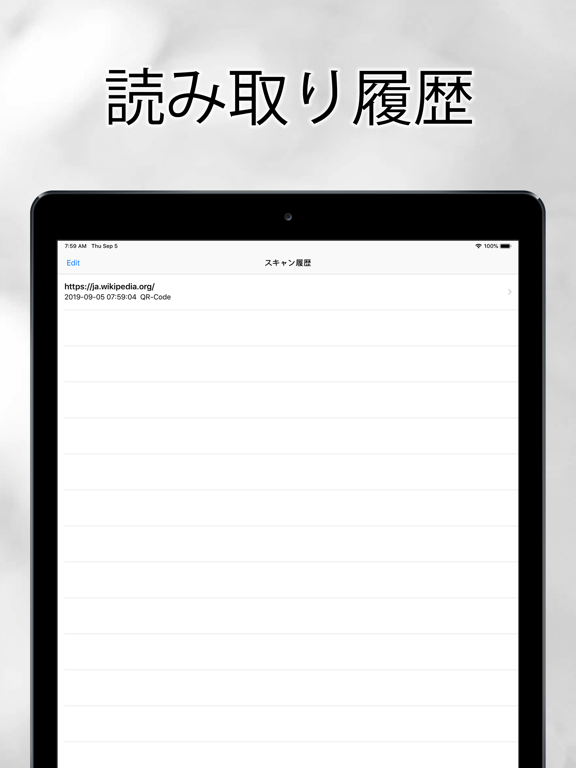
iPad screenshots

Icon palette
About this app
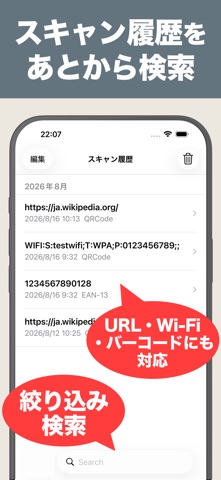
iPhone向けのシンプルで素早いQRコード読み取りアプリです。 アプリを起動するとすぐにカメラが立ち上がり、余計な操作は不要。かざすだけで読み取れます。 【主な機能】 ・QRコード、EAN-13など複数のバーコード形式に対応 ・Wi-Fi接続用QRコードに対応 — 読み取るだけでネットワークに接続でき、パスワードの手入力は不要 ・パスキー(Passkey)用QRコードに対応 ・カメラを使わず、写真アルバム内の画像から直接読み取ることも可能 ・読み取り結果は自動で履歴に保存され、いつでも見返せます ・暗い場所でも読み取れるライト点灯機能を搭載 ・読み取り結果はワンタップで共有可能 ・リンクをSafariで開くか、アプリ内蔵のブラウザで開くか選択可能 ・ダークモードに対応 【こんな場面で活躍】 ・お店・チラシ・ポスターに載っているQRコードの読み取り ・レストラン・ホテル・公共施設で提供されているWi-Fiへの接続 ・商品バーコードから情報を調べる ・友人から送られてきたスクリーンショットや写真の中のQRコードを読み取る ・イベント登録・チケット・クーポ…
App details
What you can learn from QRコードリーダー - QRコード読み取り
Every shipping app on the App Store has gone through the same decisions you're working through right now: which screenshot goes first, what caption sits over it, which device frame to show, what color the background should be. The 5 screenshots above are QRコードリーダー - QRコード読み取り's answers to those questions — they're public, they're real, and they made it through Apple's review.
What the numbers say: QRコードリーダー - QRコード読み取り runs a mixed light-and-dark set where the background shifts from screenshot to screenshot (first shot #ECECDC) — each image has to stand on its own, so the captions carry more of the story. The accent colour we picked up, #FC3C3C, is the one to reuse for badges, arrows and highlighted words if you borrow this look. Hit Use this style to open the editor with these exact colours and drop your own screenshot in.
Notice the first screenshot in particular. It's the one users see in search results and on the product page, and it's where most apps spend their best caption and tightest design. Look at the proportion of background to phone, where the text sits, what one thing the image is trying to communicate.
Want to see how other Utilities apps approach the same problem? Browse more Utilities apps in the showcase.
Take what works into your own screenshots
Open LaunchShots and design your App Store & Google Play screenshots — pick a device frame, drop captions, ship in minutes. Free, in your browser.
Open the screenshot editor →Apps with a similar look
Closest background + accent colours among the listings we've analysed — useful when you want to see the same palette handled by a different team.