Chart position — tracked daily by LaunchShots
Screenshot changes — detected by LaunchShots
Screenshot style breakdown
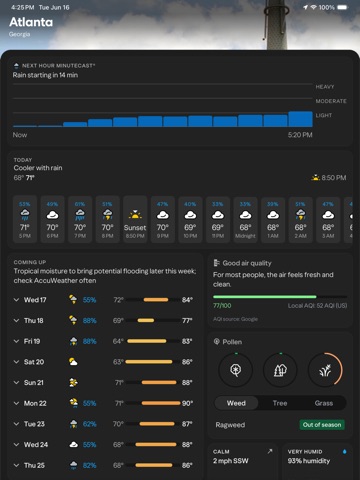
Sampled from 6 of 야후 날씨's App Store screenshots — background, accent and theme, measured by LaunchShots (not something Apple publishes).
#242424 bg
#424242
#649CCC accent
#FFFFFF text
Screenshots


iPad screenshots


Icon palette
About this app
바쁘게 움직이는 당신을 위한 날씨 앱. 일기예보, 대기질, 꽃가루 정보까지. 문을 나서기 전에 필요한 모든 것을 확인하세요. 주요 기능: 정확하고 유용한 일기예보 • 미리 준비하기: 하루를 좌우하는 기온, 바람, 강수 확률을 가장 먼저 보여드립니다. • 분 단위 강수 예보: MinuteCast®가 현재 위치에서 비가 시작되거나 그치는 시각을 분 단위로 알려드립니다. 하루 일정을 정확하게 계획하세요. • 악천후 안전 알림: 위험한 날씨, 강한 폭풍, 폭염 알림을 원하는 대로 켤 수 있습니다. 어떤 알림을 받을지는 직접 정하세요. • 상세한 일정 계획: 시간별, 5일, 10일 예보로 한 주를 계획하고 날씨가 바뀌면 바로 조정하세요. • RealFeel®: 온도계만으로는 알 수 없는 것이 있습니다. RealFeel®은 바람과 습도까지 반영합니다. 밖에 나가기 전에 무엇을 입을지 알 수 있습니다. • 위젯: 앱을 열기 전에 예보를 바로 확인하세요. • 라이트 및 다크 모드: 원하는 화면 모드를 선택하거나 휴대폰 설정에 맞추세요. 인터랙티브 레이더 및 지도 • 실시간 기상 레이더:…
App details
What you can learn from 야후 날씨
Every shipping app on the App Store has gone through the same decisions you're working through right now: which screenshot goes first, what caption sits over it, which device frame to show, what color the background should be. The 16 screenshots above are 야후 날씨's answers to those questions — they're public, they're real, and they made it through Apple's review.
What the numbers say: 야후 날씨 runs a mixed light-and-dark set where the background shifts from screenshot to screenshot (first shot #242424) — each image has to stand on its own, so the captions carry more of the story. The accent colour we picked up, #649CCC, is the one to reuse for badges, arrows and highlighted words if you borrow this look. Hit Use this style to open the editor with these exact colours and drop your own screenshot in.
Notice the first screenshot in particular. It's the one users see in search results and on the product page, and it's where most apps spend their best caption and tightest design. Look at the proportion of background to phone, where the text sits, what one thing the image is trying to communicate.
Want to see how other Weather apps approach the same problem? Browse more Weather apps in the showcase.
Take what works into your own screenshots
Open LaunchShots and design your App Store & Google Play screenshots — pick a device frame, drop captions, ship in minutes. Free, in your browser.
Open the screenshot editor →Apps with a similar look
Closest background + accent colours among the listings we've analysed — useful when you want to see the same palette handled by a different team.