Chart position — tracked daily by LaunchShots
Screenshot changes — detected by LaunchShots
Screenshot style breakdown
Sampled from 6 of بيورلي | غسيل سيارات متنقل's App Store screenshots — background, accent and theme, measured by LaunchShots (not something Apple publishes).
#94549C bg
#A26BA9
#1464AC accent
#FFFFFF text
Screenshots


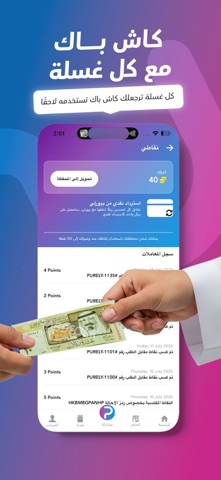
iPad screenshots
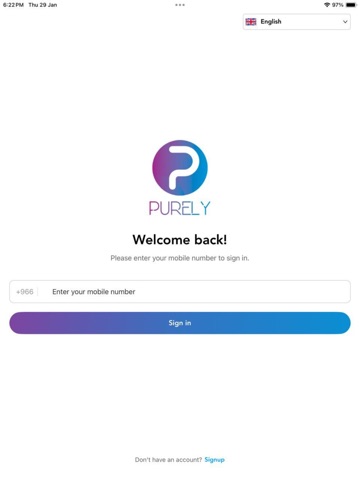


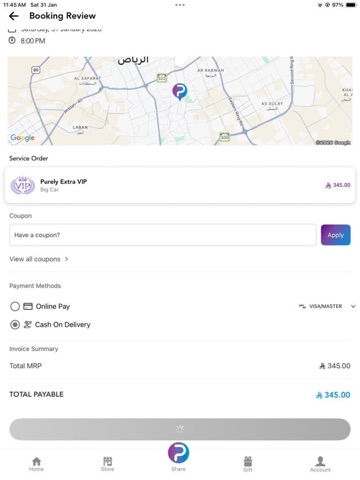


Icon palette
About this app
بيورلي هو تطبيق يقدم لك تجربة غسيل سيارات سهلة، سريعة، واحترافية في أي وقت يناسبك، من غير ما تضيع وقتك في الزحمة أو تنتظر دورك في المغسلة. مميزات تطبيق بيورلي: • غسيل بالبخار أو بالماء حسب اختيارك • باقات متنوعة تشمل الغسيل الداخلي والخارجي والتلميع العميق • تحديد موقعك بكل سهولة – نجيك وين ما كنت • حجز فوري أو مجدول في الوقت اللي يناسبك • خصومات حصرية للمستخدمين الجدد والمواعيد الصباحية • كاش باك على كل عملية غسيل • متجر منتجات سيارات (عطور، مناديل، أدوات حماية… والمزيد) • خاصية الإهداء – اهدي أحبابك غسلة محترمة توصل لبابهم الباقات المتوفرة: بيورلي بلس – دباب: غسيل خارجي + تنظيف داخلي أساسي بيورلي بلس – بخار: غسيل بالبخار بلمسة احترافية بيورلي سبشيل: تلميع داخلي وإزالة بقع المراتب بيورلي إكسترا VIP: عناية فاخرة لسيارتك من الداخل والخارج العروض المستمرة: • خصم 20% على أول غسلة عند تحميل التطبيق • خصم 15% على الغسيل الصباحي (من 10 صباحًا إلى 1 ظهرًا) • اشتراك شهري خاص لباقة الدبا…
App details
What you can learn from بيورلي | غسيل سيارات متنقل
Every shipping app on the App Store has gone through the same decisions you're working through right now: which screenshot goes first, what caption sits over it, which device frame to show, what color the background should be. The 16 screenshots above are بيورلي | غسيل سيارات متنقل's answers to those questions — they're public, they're real, and they made it through Apple's review.
What the numbers say: بيورلي | غسيل سيارات متنقل runs a dark set where the background shifts from screenshot to screenshot (first shot #94549C) — each image has to stand on its own, so the captions carry more of the story. The accent colour we picked up, #1464AC, is the one to reuse for badges, arrows and highlighted words if you borrow this look. Hit Use this style to open the editor with these exact colours and drop your own screenshot in.
Notice the first screenshot in particular. It's the one users see in search results and on the product page, and it's where most apps spend their best caption and tightest design. Look at the proportion of background to phone, where the text sits, what one thing the image is trying to communicate.
Want to see how other Lifestyle apps approach the same problem? Browse more Lifestyle apps in the showcase.
Take what works into your own screenshots
Open LaunchShots and design your App Store & Google Play screenshots — pick a device frame, drop captions, ship in minutes. Free, in your browser.
Open the screenshot editor →Apps with a similar look
Closest background + accent colours among the listings we've analysed — useful when you want to see the same palette handled by a different team.