Chart position — tracked daily by LaunchShots
Screenshot style breakdown
Sampled from 5 of 风水罗盘-八卦指南针's App Store screenshots — background, accent and theme, measured by LaunchShots (not something Apple publishes).
#F4F4FC bg
#D6D6DD
#FCAC24 accent
#111111 text
Screenshots

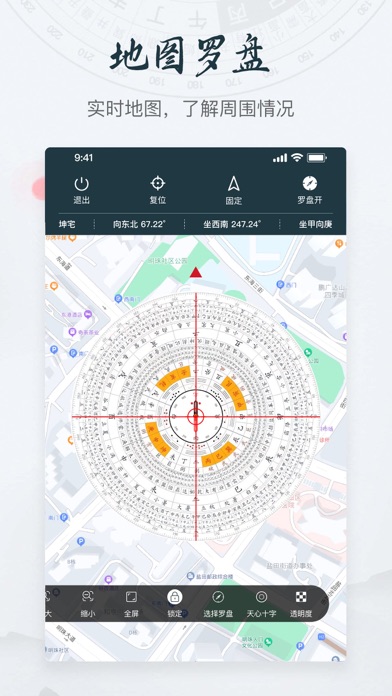

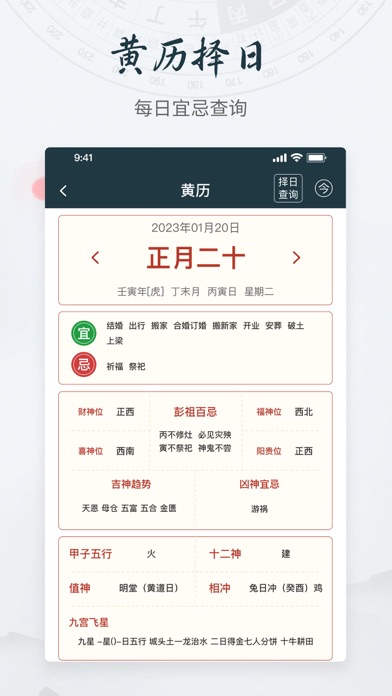

iPad screenshots


Icon palette
About this app
罗盘、黄历择日、鲁班尺、梅花易数,一键测向分析家居吉凶。 使科技与传统罗盘相结合,结合实际环境,为你实地分析方向! 【核心功能】 地图罗盘:实地勘察房屋坐向。 智能罗盘:计算财位、桃花位,健康/事业运势详解。 黄历择日:农历查询,宜忌避开凶日,装修/入伙最佳时机。 鲁班尺:寸金尺量门窗家具,吉凶尺寸一目了然。 梅花易数:起卦预测,买房决策更安心。 支持离线使用,隐私安全 高级订阅: •确认购买时,将向iTunes帐户收取费用 •订阅会自动续订,除非在当前期间结束前至少24小时关闭自动续订 •帐户将在当前期间结束前24小时内收取续订费用,并确定续订费用 •订阅可以由用户管理,并且可以在购买后转到用户的帐户设置来关闭自动续订 •如果提供免费试用期,任何未使用的部分将在用户购买该出版物的订阅时被没收(如果适用) 使用条款:https://www.freeprivacypolicy.com/live/f65ec32a-54a8-4b96-a556-6307cdcc13da 隐私政策:https://www.freeprivacypolicy.com/live/dab60cce-8f61-4b23-873c-874ecdf2acf9
App details
What you can learn from 风水罗盘-八卦指南针
Every shipping app on the App Store has gone through the same decisions you're working through right now: which screenshot goes first, what caption sits over it, which device frame to show, what color the background should be. The 10 screenshots above are 风水罗盘-八卦指南针's answers to those questions — they're public, they're real, and they made it through Apple's review.
What the numbers say: 风水罗盘-八卦指南针 runs a light set with one background colour (#F4F4FC) carried across every screenshot — the listing reads as a single poster when the shots sit side by side in search results. The accent colour we picked up, #FCAC24, is the one to reuse for badges, arrows and highlighted words if you borrow this look. Hit Use this style to open the editor with these exact colours and drop your own screenshot in.
Notice the first screenshot in particular. It's the one users see in search results and on the product page, and it's where most apps spend their best caption and tightest design. Look at the proportion of background to phone, where the text sits, what one thing the image is trying to communicate.
Want to see how other Reference apps approach the same problem? Browse more Reference apps in the showcase.
Take what works into your own screenshots
Open LaunchShots and design your App Store & Google Play screenshots — pick a device frame, drop captions, ship in minutes. Free, in your browser.
Open the screenshot editor →Apps with a similar look
Closest background + accent colours among the listings we've analysed — useful when you want to see the same palette handled by a different team.