Screenshots


Icon palette
About this app
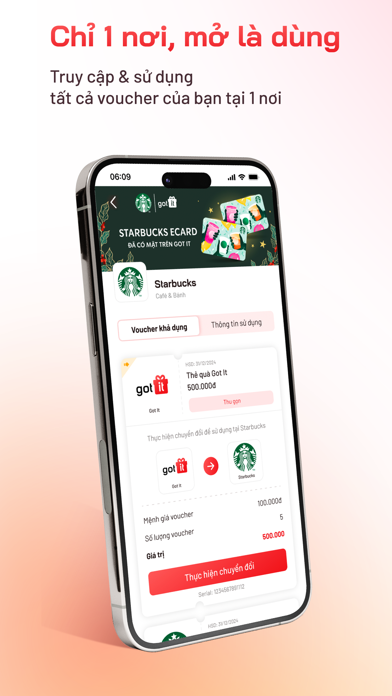
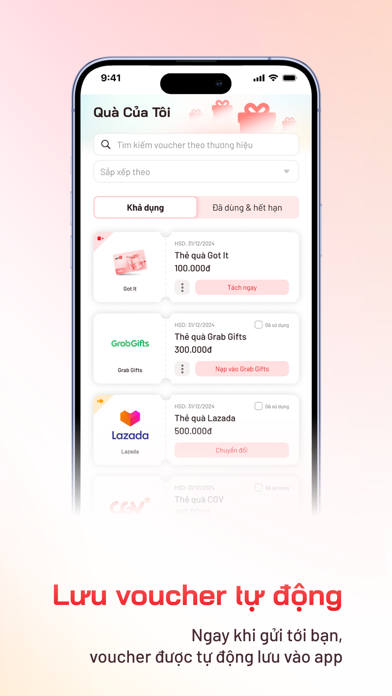
CHỈ MỘT NƠI - MỞ LÀ DÙNG Got It app giúp bạn lưu và quản lý mọi voucher Got It của bạn một cách đồng bộ, tiện lợi và an toàn. Các tính năng nổi bật • Quản lý và sử dụng voucher: lưu mọi voucher vào tài khoản, đánh dấu đã dùng, ẩn/hiện mã thẻ quà,... tất tần tật mọi tính năng giúp bạn dùng voucher dễ dàng, nhanh chóng và tiện lợi. • Lưu tự động: sau khi tải app và đăng ký tài khoản, các voucher bạn được nhận sau đó sẽ tự động lưu vào tài khoản của bạn. Tránh quên hay thất lạc voucher. • Cập nhật các thông tin ưu đãi, thương hiệu mới... nổi bật ngay trên trang chủ, giúp bạn tận dụng tối đa giá trị voucher. • Nhanh chóng hơn, bảo mật hơn: Got It app sử dụng số điện thoại để đồng bộ, xác minh sở hữu và bảo mật tất cả các voucher của bạn. Nhờ đó bạn có thể truy cập app để mở một voucher bất kỳ mà không cần chờ xác thực OTP như trước Và còn nhiều tính năng mới hay ho, sẽ sớm ra mắt bạn tro…
App details
What you can learn from Got It - Quà điện tử
Every shipping app on the App Store has gone through the same decisions you're working through right now: which screenshot goes first, what caption sits over it, which device frame to show, what color the background should be. The 4 screenshots above are Got It - Quà điện tử's answers to those questions — they're public, they're real, and they made it through Apple's review.
Notice the first screenshot in particular. It's the one users see in search results and on the product page, and it's where most apps spend their best caption and tightest design. Look at the proportion of background to phone, where the text sits, what one thing the image is trying to communicate.
Want to see how other Lifestyle apps approach the same problem? Browse more Lifestyle apps in the showcase.
Take what works into your own screenshots
Open LaunchShots and design your App Store & Google Play screenshots — pick a device frame, drop captions, ship in minutes. Free, in your browser.
Open the screenshot editor →