Screenshots


iPad screenshots



Icon palette
About this app
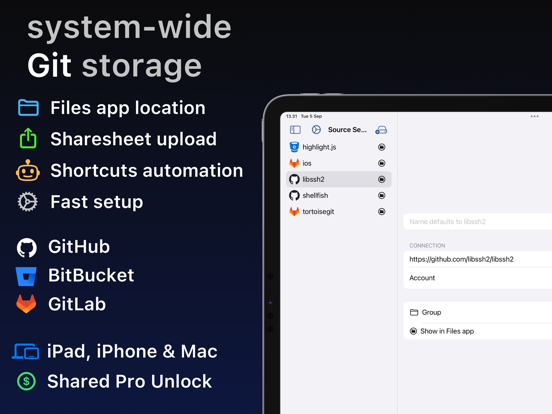
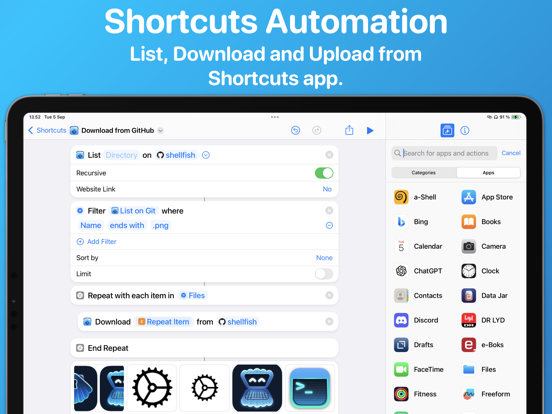
Source Files is a faster way to access GitHub, Gitea, GitLab and BitBucket from the Finder and Files app without having to clone repositories or commit changes. Using REST APIs instead of the traditional Git protocol you will be editing files in even the largest repositories in seconds: • Drag a repository URL to the Files app • Browse the directory that immediately appears • Open and Edit files in your favorite app Source Files is file oriented and making edits to 3 different files will result in 3 commits. It is possible to configure the app to work in a branch where a messy commit history is acceptable and merge changes back using pull requests. Consider using traditional Git clients like Working Copy or Tower for projects that need a tidy commit history in all branches. There is rich support for automation with Shortcuts actions to List, Download, Upload and Move files. Uploadi…
App details
What you can learn from Source Files: Git Storage
Every shipping app on the App Store has gone through the same decisions you're working through right now: which screenshot goes first, what caption sits over it, which device frame to show, what color the background should be. The 10 screenshots above are Source Files: Git Storage's answers to those questions — they're public, they're real, and they made it through Apple's review.
Notice the first screenshot in particular. It's the one users see in search results and on the product page, and it's where most apps spend their best caption and tightest design. Look at the proportion of background to phone, where the text sits, what one thing the image is trying to communicate.
Want to see how other Developer Tools apps approach the same problem? Browse more Developer Tools apps in the showcase.
Take what works into your own screenshots
Open LaunchShots and design your App Store & Google Play screenshots — pick a device frame, drop captions, ship in minutes. Free, in your browser.
Open the screenshot editor →