Chart position — tracked daily by LaunchShots
Screenshot changes — detected by LaunchShots
Screenshot style breakdown
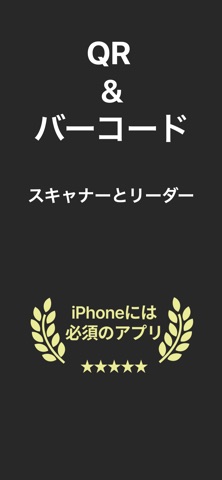
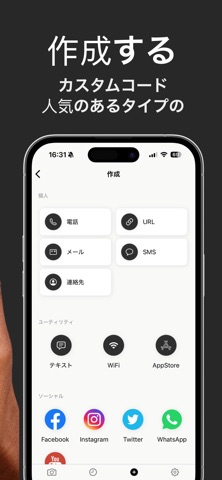
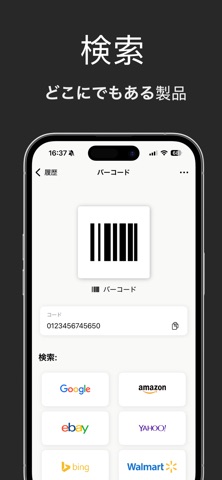
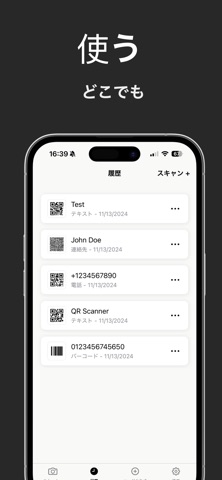
Sampled from 5 of QRコード & バーコードスキャナーアプリ's App Store screenshots — background, accent and theme, measured by LaunchShots (not something Apple publishes).
#2C2C2C bg
#494949
#ECEC94 accent
#FFFFFF text
Screenshots

Icon palette
About this app
数秒でQRコードやバーコードをスキャン! QRコードを簡単に生成し、商品情報や価格などに瞬時にアクセスできます。今すぐお試しください! 究極のQRコード & バーコードスキャナーアプリが登場! 高速、正確、手間いらずのスキャンを実現するオールインワンソリューションです。 この強力なツールでスキャン体験をアップグレードしましょう。 + 簡単スキャン: QRコードやバーコードを瞬時にスキャン。カメラをかざすだけで、最新のスキャン技術がすべての作業を処理します。商品詳細や価格情報をすぐに確認できます。 + 賢いショッピング: QRコードをスキャンして商品レビューを確認したり、価格を比較したり、お得な情報を見つけたり。よりスマートな買い物体験をサポートします。 + 自分だけのQRコード生成: ウェブサイト、連絡先情報、Wi-Fiアクセスなど、あらゆる用途に対応したQRコードを作成可能。友達や顧客と共有したり、ビジネスに活用したり、多彩な場面で役立ちます。 + ビジネス向け活用: QRコードを活用して業務を効率化!商品やサービス、プロモー…
App details
What you can learn from QRコード & バーコードスキャナーアプリ
Every shipping app on the App Store has gone through the same decisions you're working through right now: which screenshot goes first, what caption sits over it, which device frame to show, what color the background should be. The 5 screenshots above are QRコード & バーコードスキャナーアプリ's answers to those questions — they're public, they're real, and they made it through Apple's review.
What the numbers say: QRコード & バーコードスキャナーアプリ runs a dark set with one background colour (#2C2C2C) carried across every screenshot — the listing reads as a single poster when the shots sit side by side in search results. The accent colour we picked up, #ECEC94, is the one to reuse for badges, arrows and highlighted words if you borrow this look. Hit Use this style to open the editor with these exact colours and drop your own screenshot in.
Notice the first screenshot in particular. It's the one users see in search results and on the product page, and it's where most apps spend their best caption and tightest design. Look at the proportion of background to phone, where the text sits, what one thing the image is trying to communicate.
Want to see how other Utilities apps approach the same problem? Browse more Utilities apps in the showcase.
Take what works into your own screenshots
Open LaunchShots and design your App Store & Google Play screenshots — pick a device frame, drop captions, ship in minutes. Free, in your browser.
Open the screenshot editor →Apps with a similar look
Closest background + accent colours among the listings we've analysed — useful when you want to see the same palette handled by a different team.