Chart position — tracked daily by LaunchShots
Screenshot changes — detected by LaunchShots
Screenshot style breakdown
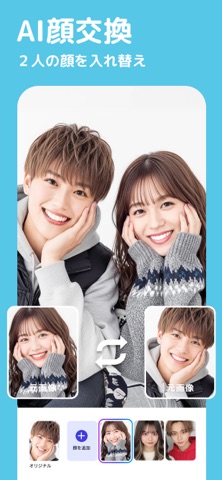
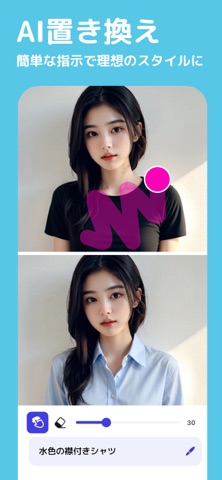
Sampled from 6 of YouCam AI Pro:AI画像生成・AI動画生成アプリ's App Store screenshots — background, accent and theme, measured by LaunchShots (not something Apple publishes).
#54C4E4 bg
#49ACC8
#BC1C34 accent
#111111 text
Screenshots





Icon palette
About this app
YouCam AI Pro - AI画像生成・AI動画生成アプリ YouCam AI Proは、Kling, Nano Banana, Seedance 2.5など複数の主要AIモデルを統合したクリエイティブツールです。AI動画や高品質なAI画像を、テキスト入力だけで簡単に作成できます。個人のSNS投稿からビジネス用のコンテンツ制作まで、幅広く対応しています。 ► 主要なAIモデルに対応 複数のアプリを使い分ける必要がありません。主要なAIエンジンを一つのアプリで利用できます。 ・AI動画生成: Kling 3.0, Google Veo 3.1, YouCam Motion, Vidu Q2 Pro, Seedance 2.5, Hailuo 02, Happy Horse, Wan 2.6, PixVerse 5.5. ・AI画像生成: YouCam Image 2, GPT-Image 2.0, Gemini Nano Banana 2, Flux.2 Pro, Imagen 4 Gen, Seedream 5. ► 【NEW!】AIアシスタント チャット感覚で理想通りの画像編集やAI画像・動画生成が可能になりました。スキルや難しい操作は一切不要! ► AI動画生成機能 テキスト、画像、既存の動画からクリエイティブでリアルな映像を作成できます。Veo 3やKling AIといった世界最高峰のモデル…
App details
What you can learn from YouCam AI Pro:AI画像生成・AI動画生成アプリ
Every shipping app on the App Store has gone through the same decisions you're working through right now: which screenshot goes first, what caption sits over it, which device frame to show, what color the background should be. The 10 screenshots above are YouCam AI Pro:AI画像生成・AI動画生成アプリ's answers to those questions — they're public, they're real, and they made it through Apple's review.
What the numbers say: YouCam AI Pro:AI画像生成・AI動画生成アプリ runs a light set with one background colour (#54C4E4) carried across every screenshot — the listing reads as a single poster when the shots sit side by side in search results. The accent colour we picked up, #BC1C34, is the one to reuse for badges, arrows and highlighted words if you borrow this look. Hit Use this style to open the editor with these exact colours and drop your own screenshot in.
Notice the first screenshot in particular. It's the one users see in search results and on the product page, and it's where most apps spend their best caption and tightest design. Look at the proportion of background to phone, where the text sits, what one thing the image is trying to communicate.
Want to see how other Graphics & Design apps approach the same problem? Browse more Graphics & Design apps in the showcase.
Take what works into your own screenshots
Open LaunchShots and design your App Store & Google Play screenshots — pick a device frame, drop captions, ship in minutes. Free, in your browser.
Open the screenshot editor →Apps with a similar look
Closest background + accent colours among the listings we've analysed — useful when you want to see the same palette handled by a different team.