Chart position — tracked daily by LaunchShots
Screenshot changes — detected by LaunchShots
Screenshot style breakdown
Sampled from 6 of Убрать голос из песни, музыку's App Store screenshots — background, accent and theme, measured by LaunchShots (not something Apple publishes).
#34B4FC bg
#2D9EDD
#FCC42C accent
#111111 text
Screenshots
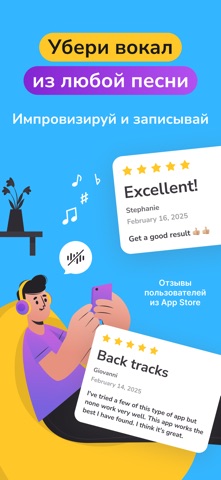
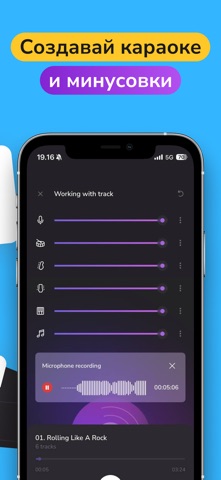

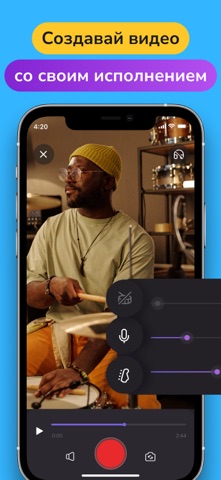


iPad screenshots

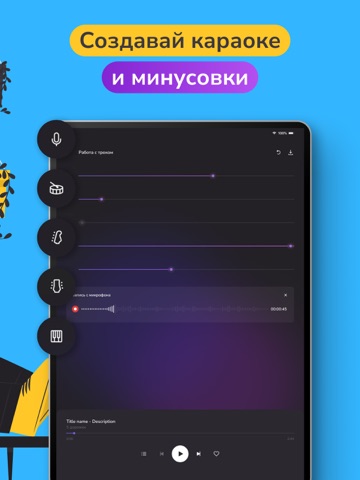


Icon palette
About this app
Представляем Vocal Remover AI, приложение, которое переопределяет привычные границы работы со звуком. Оно представляет собой универсальное решение для ваших потребностей в извлечении и редактировании музыки и вокала, обладает набором мощных и простых в использовании функций. Создайте минусовку и караоке для любой песни в пару нажатий! А еще наше приложение легко справляется с извлечением музыкальных инструментов из трека - оно разбивает загруженный вами файл на несколько дорожек. Что возможно вместе с нашим Vocal Remover AI? ⌘ УБРАТЬ ВОКАЛ Благодаря передовым алгоритмам искусственного интеллекта оно может изолировать и удалять вокал из любой дорожки, оставляя вам чистую инструментальную версию. Эта возможность идеально подходит для певцов, диджеев, продюсеров и музыкантов. ⌘ СДЕЛАТЬ СТЕМЫ Эта функция позволяет быстро и легко разобрать любую песню на отдельные компоненты. Если вам нуж…
App details
What you can learn from Убрать голос из песни, музыку
Every shipping app on the App Store has gone through the same decisions you're working through right now: which screenshot goes first, what caption sits over it, which device frame to show, what color the background should be. The 12 screenshots above are Убрать голос из песни, музыку's answers to those questions — they're public, they're real, and they made it through Apple's review.
What the numbers say: Убрать голос из песни, музыку runs a light set with one background colour (#34B4FC) carried across every screenshot — the listing reads as a single poster when the shots sit side by side in search results. The accent colour we picked up, #FCC42C, is the one to reuse for badges, arrows and highlighted words if you borrow this look. Hit Use this style to open the editor with these exact colours and drop your own screenshot in.
Notice the first screenshot in particular. It's the one users see in search results and on the product page, and it's where most apps spend their best caption and tightest design. Look at the proportion of background to phone, where the text sits, what one thing the image is trying to communicate.
Want to see how other Music apps approach the same problem? Browse more Music apps in the showcase.
Take what works into your own screenshots
Open LaunchShots and design your App Store & Google Play screenshots — pick a device frame, drop captions, ship in minutes. Free, in your browser.
Open the screenshot editor →Apps with a similar look
Closest background + accent colours among the listings we've analysed — useful when you want to see the same palette handled by a different team.