Screenshot style breakdown
Sampled from 3 of ポケットワーク's App Store screenshots — background, accent and theme, measured by LaunchShots (not something Apple publishes).
#FCD40C bg
#DDBA0A
#A4945C accent
#111111 text
Screenshots
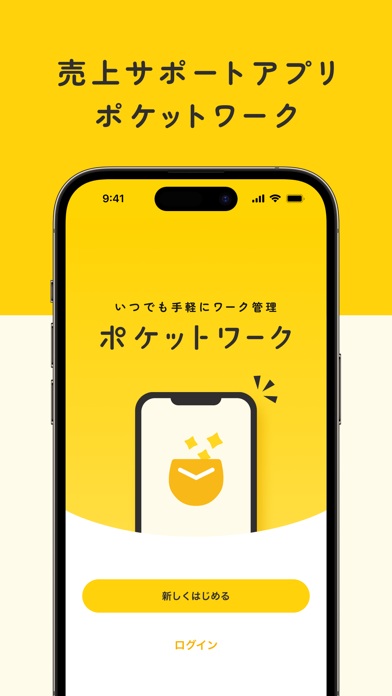
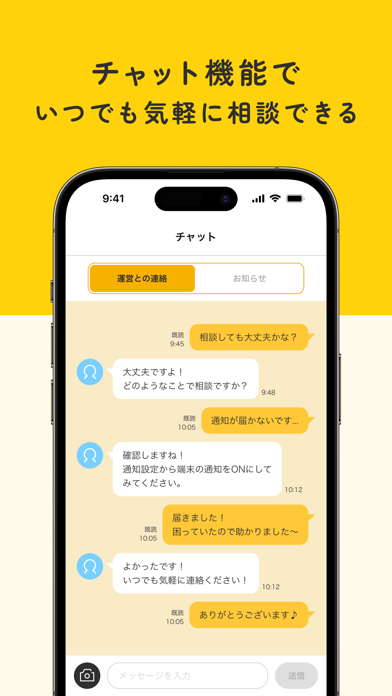

Icon palette
About this app
「ポケットワーク」は、スマートフォンを活用し、自分に合ったお仕事をしている方向けのサポートアプリです。 ◆◇ 主な機能 ◇◆ ■お仕事一覧 ・ご登録中のお仕事を一覧で確認できます。 ・自由にお仕事の並び替えができます。 ・各種キャンペーンも表示されます。 ■カレンダー機能 ・日々の売上をカレンダーで確認できます。 ・カレンダーには日々のランキングも表示されます。 ・リスト表示への切り替えもできます。 ■ランキング機能 ・あなたの売上がランキング形式で分かります。 ・前日、週間、当月で切り替えができます。 ・お仕事別や合計でランキングが確認できます。 ■お仕事時間管理 ・お仕事した時間を一覧で確認できます。 ・開始日時と終了日時を選択できます。 ■チャット機能 ・運営スタッフにいつでも気軽にチャットで相談できます。 ・メッセージに画像を添付することもできます。 ・運営からの「お知らせ」の確認もできます。 ◆◇ ポケットワークの使い方 ◇◆ まず、日々の売上をカレンダーやランキングで確認します。その後、売上を各種情報や…
App details
What you can learn from ポケットワーク
Every shipping app on the App Store has gone through the same decisions you're working through right now: which screenshot goes first, what caption sits over it, which device frame to show, what color the background should be. The 3 screenshots above are ポケットワーク's answers to those questions — they're public, they're real, and they made it through Apple's review.
What the numbers say: ポケットワーク runs a light set with one background colour (#FCD40C) carried across every screenshot — the listing reads as a single poster when the shots sit side by side in search results. The accent colour we picked up, #A4945C, is the one to reuse for badges, arrows and highlighted words if you borrow this look. Hit Use this style to open the editor with these exact colours and drop your own screenshot in.
Notice the first screenshot in particular. It's the one users see in search results and on the product page, and it's where most apps spend their best caption and tightest design. Look at the proportion of background to phone, where the text sits, what one thing the image is trying to communicate.
Want to see how other Productivity apps approach the same problem? Browse more Productivity apps in the showcase.
Take what works into your own screenshots
Open LaunchShots and design your App Store & Google Play screenshots — pick a device frame, drop captions, ship in minutes. Free, in your browser.
Open the screenshot editor →Apps with a similar look
Closest background + accent colours among the listings we've analysed — useful when you want to see the same palette handled by a different team.