Chart position — tracked daily by LaunchShots
Screenshot style breakdown
Sampled from 6 of ドット絵日記 - 1日1枚ドット絵で記録するダイアリー's App Store screenshots — background, accent and theme, measured by LaunchShots (not something Apple publishes).
#3CB4FC bg
#349EDD
#6C0424 accent
#111111 text
Screenshots


iPad screenshots




Icon palette
About this app
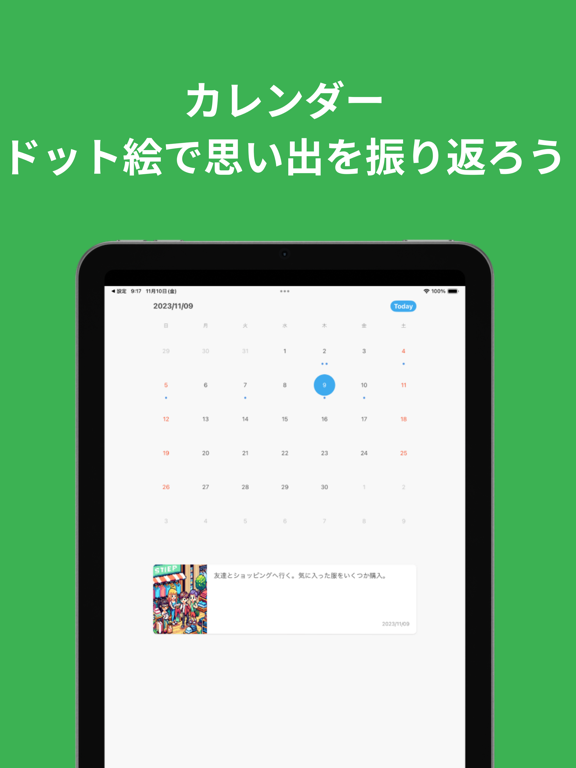
ドット絵日記は、日常をドット絵で記録していく日記アプリです。 1日の終わりにドット絵をつけるのを習慣にしませんか? ●短い文章から素敵なドット絵を生成 「友達とご飯に行った」のような、短い文章からドット絵を生成できます。 AIが文章を理解して生成するので、ラフな入力でも素敵な絵に仕上がります。 ●ドット絵で生活を振り返る タイムライン形式、カレンダー形式で過去のドット絵を振り返れます。 先月の予定をドット絵で振り返るのはどうですか? ●素敵な絵ができたらシェアしよう 自分の想像以上の絵が生成されることもよくあります。 感動したら友人やSNSにシェアしよう! ●ウィジェットでホーム画面にドット絵を ウィジェットをおけば過去の思い出を表示できます。 ホーム画面をドット絵で埋め尽くそう! ●その他細かい機能 書き忘れを防止するための通知、ダークモードなど細かいカスタマイズ可能。 自分好みに調整して良いドット絵ライフを! ---- その他情報 利用規約 https://comet-geometry-805.notion.site/377f2fca001a4c1b97aaf788f32286…
App details
What you can learn from ドット絵日記 - 1日1枚ドット絵で記録するダイアリー
Every shipping app on the App Store has gone through the same decisions you're working through right now: which screenshot goes first, what caption sits over it, which device frame to show, what color the background should be. The 12 screenshots above are ドット絵日記 - 1日1枚ドット絵で記録するダイアリー's answers to those questions — they're public, they're real, and they made it through Apple's review.
What the numbers say: ドット絵日記 - 1日1枚ドット絵で記録するダイアリー runs a mixed light-and-dark set where the background shifts from screenshot to screenshot (first shot #3CB4FC) — each image has to stand on its own, so the captions carry more of the story. The accent colour we picked up, #6C0424, is the one to reuse for badges, arrows and highlighted words if you borrow this look. Hit Use this style to open the editor with these exact colours and drop your own screenshot in.
Notice the first screenshot in particular. It's the one users see in search results and on the product page, and it's where most apps spend their best caption and tightest design. Look at the proportion of background to phone, where the text sits, what one thing the image is trying to communicate.
Want to see how other Book apps approach the same problem? Browse more Book apps in the showcase.
Take what works into your own screenshots
Open LaunchShots and design your App Store & Google Play screenshots — pick a device frame, drop captions, ship in minutes. Free, in your browser.
Open the screenshot editor →Apps with a similar look
Closest background + accent colours among the listings we've analysed — useful when you want to see the same palette handled by a different team.