Chart position — tracked daily by LaunchShots
Screenshot style breakdown
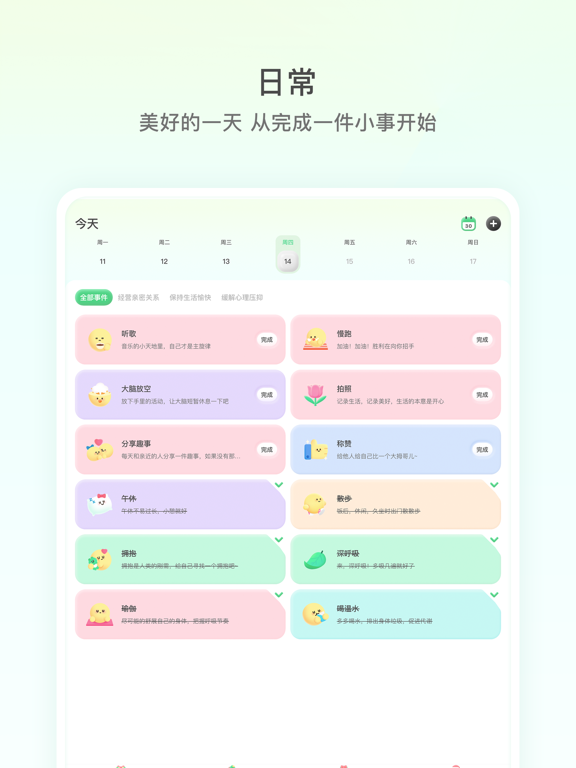
Sampled from 6 of FeelFlow-HRV压力水平自测健康助眠's App Store screenshots — background, accent and theme, measured by LaunchShots (not something Apple publishes).
#FCFCFC bg
#DDDDDD
#4CAC84 accent
#111111 text
Screenshots


iPad screenshots



Icon palette
About this app
FeelFlow通过分析苹果手表HRV心率变异性、心情记录、运动、睡眠与天气等多项数据,帮助你更好地了解当前的情绪、压力状态。并通过统计分析,提出日常小事,情绪计划等多个方案,以帮助你调节情绪的平衡。放慢生活的脚步,每一缕情绪都值得被记录。 ▲Feel Flow会做些什么? -早起后昏昏沉沉,Feel会告诉你:昨天的睡眠状态太差,需要调整睡眠节奏,充足的睡眠是恢复能量和心情的最好方式; -今天的工作特别的忙,从早到晚你都没有停下脚步,Feel会通过Apple Watch的HRV告诉你:状态较差,快停下来,让自己缓口气; -忙碌的一天终于过去,下班的路上,Feel会告诉你:现在的状态很好,下班之后,你才是真正的自己; -深夜里,迟迟不肯睡,想着忙碌一天,总该多玩玩,Feel会告诉你:压力缓缓上升,今天的你已经很辛苦了,快早早地进入梦乡吧~ ▲Feel Flow的功能 -HRV心率变异性 通过分析Apple Watch的HRV心率变异性和静息心率等数据,帮助你理解当前的压力程度,及时提醒状态,帮助你更好地感知、管理与应对。 -实时压力检测 每5分钟自动检测你的压力状态,不论是睡…
App details
What you can learn from FeelFlow-HRV压力水平自测健康助眠
Every shipping app on the App Store has gone through the same decisions you're working through right now: which screenshot goes first, what caption sits over it, which device frame to show, what color the background should be. The 16 screenshots above are FeelFlow-HRV压力水平自测健康助眠's answers to those questions — they're public, they're real, and they made it through Apple's review.
What the numbers say: FeelFlow-HRV压力水平自测健康助眠 runs a light set with one background colour (#FCFCFC) carried across every screenshot — the listing reads as a single poster when the shots sit side by side in search results. The accent colour we picked up, #4CAC84, is the one to reuse for badges, arrows and highlighted words if you borrow this look. Hit Use this style to open the editor with these exact colours and drop your own screenshot in.
Notice the first screenshot in particular. It's the one users see in search results and on the product page, and it's where most apps spend their best caption and tightest design. Look at the proportion of background to phone, where the text sits, what one thing the image is trying to communicate.
Want to see how other Health & Fitness apps approach the same problem? Browse more Health & Fitness apps in the showcase.
Take what works into your own screenshots
Open LaunchShots and design your App Store & Google Play screenshots — pick a device frame, drop captions, ship in minutes. Free, in your browser.
Open the screenshot editor →Apps with a similar look
Closest background + accent colours among the listings we've analysed — useful when you want to see the same palette handled by a different team.