Chart position — tracked daily by LaunchShots
Screenshot style breakdown
Sampled from 6 of DONGRI S (どんぐり)'s App Store screenshots — background, accent and theme, measured by LaunchShots (not something Apple publishes).
#4C6C74 bg
#658087
#84D404 accent
#FFFFFF text
Screenshots





iPad screenshots


Icon palette
About this app
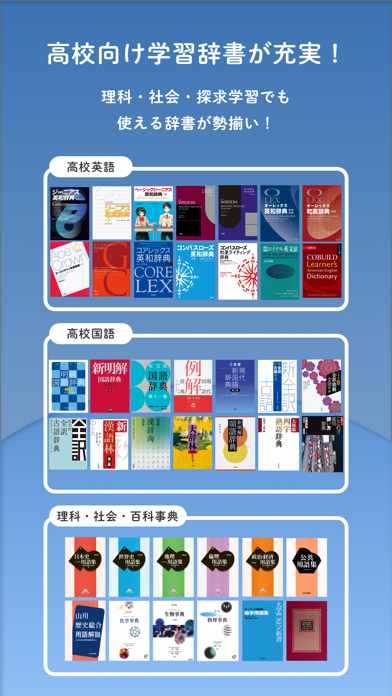
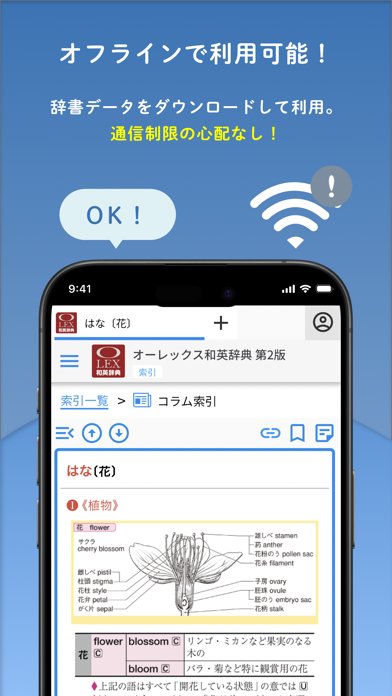
小学生・中学生・高校生におすすめ!広告表示はなく、学習に集中できます。 ● 小学校から高校まで、選べる辞書・辞典が満載● ジーニアス・ウィズダム・オーレックスなど英語系辞書、新明解・大辞林など国語系辞書、百科事典や用語集まで、幅広い学習用辞書を取り揃えています。 もちろん、小学生・中学生向けの辞書・百科辞典も豊富にご用意。 ● サブスク型の辞書アプリ ● 必要な辞書と期間を選択できるため、お手頃に利用できます。 また、小学校・中学校・高校と、学習ステージに合わせて必要な新しい辞書を購入できます。 ● 3台まで利用可能 ● DONGRIは、全ての端末でご利用いただけます。 個人用のスマートフォン・学校用端末・家庭用のPCなどで使用でき、 複数の端末を使用する小学生・中学生・高校生におすすめの辞書アプリです。 ● シンプルな辞書画面 ● 国語系辞書は、美しい縦書き表示です。 広告表示はなく、集中して学習に取り組むことができます。 小学生向け辞書は総ルビ表示で、お子様にも安心してご利用いただけます。 ● Split View/Slide…
App details
What you can learn from DONGRI S (どんぐり)
Every shipping app on the App Store has gone through the same decisions you're working through right now: which screenshot goes first, what caption sits over it, which device frame to show, what color the background should be. The 18 screenshots above are DONGRI S (どんぐり)'s answers to those questions — they're public, they're real, and they made it through Apple's review.
What the numbers say: DONGRI S (どんぐり) runs a mixed light-and-dark set where the background shifts from screenshot to screenshot (first shot #4C6C74) — each image has to stand on its own, so the captions carry more of the story. The accent colour we picked up, #84D404, is the one to reuse for badges, arrows and highlighted words if you borrow this look. Hit Use this style to open the editor with these exact colours and drop your own screenshot in.
Notice the first screenshot in particular. It's the one users see in search results and on the product page, and it's where most apps spend their best caption and tightest design. Look at the proportion of background to phone, where the text sits, what one thing the image is trying to communicate.
Want to see how other Reference apps approach the same problem? Browse more Reference apps in the showcase.
Take what works into your own screenshots
Open LaunchShots and design your App Store & Google Play screenshots — pick a device frame, drop captions, ship in minutes. Free, in your browser.
Open the screenshot editor →Apps with a similar look
Closest background + accent colours among the listings we've analysed — useful when you want to see the same palette handled by a different team.