Chart position — tracked daily by LaunchShots
Screenshot style breakdown
Sampled from 5 of 环球翻译官-拍照实时语音文字翻译器's App Store screenshots — background, accent and theme, measured by LaunchShots (not something Apple publishes).
#9C9C9C bg
#898989
#045CBC accent
#111111 text
Screenshots


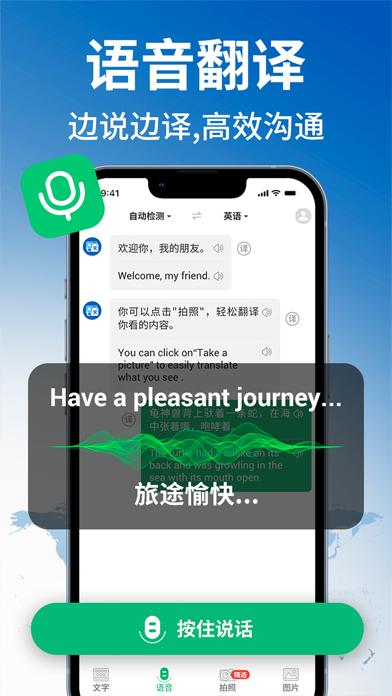
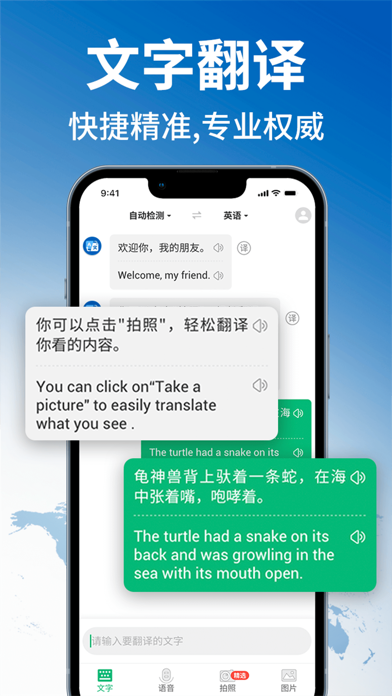

Icon palette
About this app
【翻译语言】 支持全世界114种语言实时翻译,精准翻译。 【产品特色】 大数据精准匹配世界材料,跨多行业专业级翻译。 【使用场景】 各个场合拍照翻译,学习语言,跨界办公等场景的沟通交流。 【主要功能】 拍照翻译、文本翻译、语音翻译,翻译过程更加便捷高效。 【拍照翻译】 无需手动输入,拍照就可以智能高清扫描图片,精准识别,极速翻译。识别及翻译结果一键朗读/复制/分享,翻译结果永久储存。 【语音翻译】 流利语音识别,随说轻松讲语音识别为文字,并自动翻译成为您期望的目标语言。可识别方言,准确率高,翻译结果质量高。 【文本翻译】 输入文字,实时获得高质量翻译内容,能够自动识别病句,整理语序,翻译结果更精准。 自动续订条款: 我们的的标准订阅选项是: 1周订阅/1年订阅 订阅依照选择的订阅计划的价格,按月度或年度计费该定价和“Apple's App Store Matrix”在其他货币所确定的价格区间相同。 ·如果没有在免费试用到期前至少 24 小时关闭自动续费,免费试用将会自动更新为付费使用。 ·请注意:如果在免费试用期 (如有提供)内购买高级订阅,免费…
App details
What you can learn from 环球翻译官-拍照实时语音文字翻译器
Every shipping app on the App Store has gone through the same decisions you're working through right now: which screenshot goes first, what caption sits over it, which device frame to show, what color the background should be. The 5 screenshots above are 环球翻译官-拍照实时语音文字翻译器's answers to those questions — they're public, they're real, and they made it through Apple's review.
What the numbers say: 环球翻译官-拍照实时语音文字翻译器 runs a mixed light-and-dark set where the background shifts from screenshot to screenshot (first shot #9C9C9C) — each image has to stand on its own, so the captions carry more of the story. The accent colour we picked up, #045CBC, is the one to reuse for badges, arrows and highlighted words if you borrow this look. Hit Use this style to open the editor with these exact colours and drop your own screenshot in.
Notice the first screenshot in particular. It's the one users see in search results and on the product page, and it's where most apps spend their best caption and tightest design. Look at the proportion of background to phone, where the text sits, what one thing the image is trying to communicate.
Want to see how other Reference apps approach the same problem? Browse more Reference apps in the showcase.
Take what works into your own screenshots
Open LaunchShots and design your App Store & Google Play screenshots — pick a device frame, drop captions, ship in minutes. Free, in your browser.
Open the screenshot editor →Apps with a similar look
Closest background + accent colours among the listings we've analysed — useful when you want to see the same palette handled by a different team.