Chart position — tracked daily by LaunchShots
Screenshot changes — detected by LaunchShots
Screenshot style breakdown
Sampled from 6 of Google Gemini's App Store screenshots — background, accent and theme, measured by LaunchShots (not something Apple publishes).
#FCFCFC bg
#DDDDDD
#8C644C accent
#111111 text
Screenshots


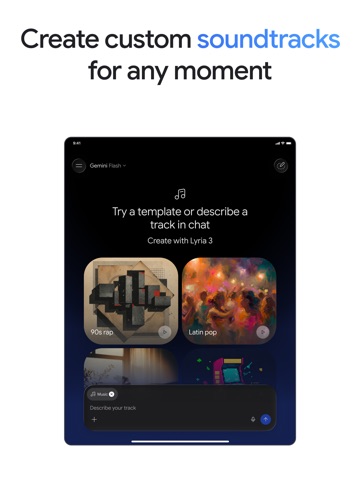
iPad screenshots




Icon palette
About this app
From your morning commute to late-night deep dives, Google Gemini is your personal, proactive and powerful AI assistant. WHY USERS LOVE GEMINI • Our latest models, Gemini 4 Argon and Gemini Omni, unlock a new world of productivity and creativity. • Solve complex workflows, write advanced code, and analyze data easily with Google’s newest frontier model. • Daily Brief agent gives you a personalized morning brief and organizes exactly what you need to know to start your day. • Talk things out with Gemini Live: Brainstorm in real time or share your screen/camera to discuss exactly what you see. • Instead of a wall of text, you get carefully crafted responses with interleaved images, timelines, and interactive visuals. • Get more personalized help by connecting your favorite Google apps like Gmail, Calendar, Google Photos, YouTube, and Search. • Upload documents, spreadsheets, photos, vide…
App details
What you can learn from Google Gemini
Every shipping app on the App Store has gone through the same decisions you're working through right now: which screenshot goes first, what caption sits over it, which device frame to show, what color the background should be. The 16 screenshots above are Google Gemini's answers to those questions — they're public, they're real, and they made it through Apple's review.
What the numbers say: Google Gemini runs a light set with one background colour (#FCFCFC) carried across every screenshot — the listing reads as a single poster when the shots sit side by side in search results. The accent colour we picked up, #8C644C, is the one to reuse for badges, arrows and highlighted words if you borrow this look. Hit Use this style to open the editor with these exact colours and drop your own screenshot in.
Notice the first screenshot in particular. It's the one users see in search results and on the product page, and it's where most apps spend their best caption and tightest design. Look at the proportion of background to phone, where the text sits, what one thing the image is trying to communicate.
Want to see how other Productivity apps approach the same problem? Browse more Productivity apps in the showcase.
Take what works into your own screenshots
Open LaunchShots and design your App Store & Google Play screenshots — pick a device frame, drop captions, ship in minutes. Free, in your browser.
Open the screenshot editor →Apps with a similar look
Closest background + accent colours among the listings we've analysed — useful when you want to see the same palette handled by a different team.