Chart position — tracked daily by LaunchShots
Screenshot style breakdown
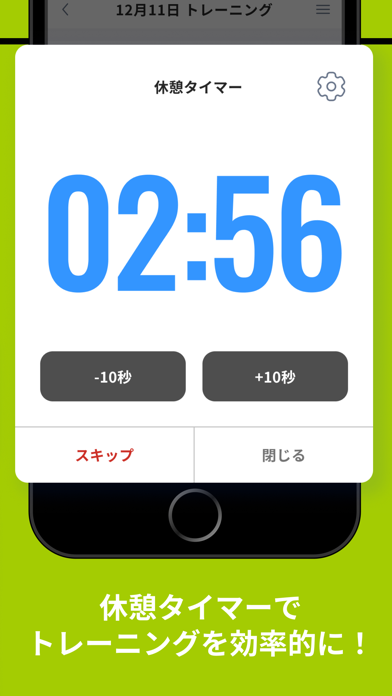
Sampled from 6 of FIT PLACE's App Store screenshots — background, accent and theme, measured by LaunchShots (not something Apple publishes).
#A4CC04 bg
#90B303
#5C7404 accent
#111111 text
Reading the caption text from the screenshots in your browser…
Screenshots



Icon palette
About this app
全国80店舗以上のジムを展開するフィットプレイスが贈るトレーニーのためのアプリがついにリリース! トレーニングを記録して成果を最大化させませんか? でもいちいちトレーニングを記録するのって面倒くさい、、 ノートに記録しても、、 ・メニューを遡って探すのが面倒 ・前回の重量を探して、書くが記録するのが面倒 ・メニュー名を記載するのが面倒 ・成長度が見えない その悩みFIT PLACEのアプリで全て解決! 超簡単にサクッと記録できちゃいます。 便利機能が満載! 使いやすさにこだわったFIT PLACEアプリであなたのトレーニングをさらなる高みへ! FITPLACEの機能①トレーニング履歴の徹底管理 豊富なトレーニングメニューから選んで、重量や回数を入力すればOK! ・今日のトレーニングを直感的に記録可能 ・記録はグラフとなり、あなたの成長が可視化。 ・トレーニング履歴も瞬時に読み込み。 ・左右別セットとスーパーセットが組める ・トレーニングメニューが豊富 ・消費カロリーが自動計算 ・ワークアウトとインターバルの時間を設定すれば、タイマ…
App details
What you can learn from FIT PLACE
Every shipping app on the App Store has gone through the same decisions you're working through right now: which screenshot goes first, what caption sits over it, which device frame to show, what color the background should be. The 6 screenshots above are FIT PLACE's answers to those questions — they're public, they're real, and they made it through Apple's review.
What the numbers say: FIT PLACE runs a light set with one background colour (#A4CC04) carried across every screenshot — the listing reads as a single poster when the shots sit side by side in search results. The accent colour we picked up, #5C7404, is the one to reuse for badges, arrows and highlighted words if you borrow this look. Hit Use this style to open the editor with these exact colours and drop your own screenshot in.
Notice the first screenshot in particular. It's the one users see in search results and on the product page, and it's where most apps spend their best caption and tightest design. Look at the proportion of background to phone, where the text sits, what one thing the image is trying to communicate.
Want to see how other Health & Fitness apps approach the same problem? Browse more Health & Fitness apps in the showcase.
Take what works into your own screenshots
Open LaunchShots and design your App Store & Google Play screenshots — pick a device frame, drop captions, ship in minutes. Free, in your browser.
Open the screenshot editor →Apps with a similar look
Closest background + accent colours among the listings we've analysed — useful when you want to see the same palette handled by a different team.