Chart position — tracked daily by LaunchShots
Screenshot style breakdown
Sampled from 5 of 精灵集市-一站式日淘跨境商城's App Store screenshots — background, accent and theme, measured by LaunchShots (not something Apple publishes).
#3C6CF4 bg
#5780F5
#FCE434 accent
#FFFFFF text
Screenshots
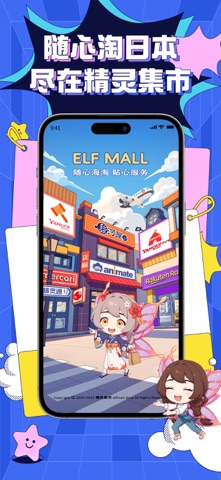


iPad screenshots


Icon palette
About this app
汇聚日本30+热门电商与二手交易网站资源,无论是谷子周边、徽章立牌、手办模型、卡牌收藏、Lolita服饰、美妆护肤,还是限定联名商品,都能轻松搜索、一键下单。平台支持自动翻译、实时汇率换算、智能下单,即使不懂日语,也能无障碍畅购日本好物。 从商品购买到国际运输,全流程一站式服务。包裹入库自动拍照录像,仓储状态实时可查,支持多种物流线路自由选择,最快每日航班发运,让海淘更透明、更安心。新用户注册即享专属福利,海量优惠券、拉新奖励和会员权益持续放送,让购物更省钱。 精灵集市,让每一份热爱跨越距离,把日本好物轻松带回家。
App details
What you can learn from 精灵集市-一站式日淘跨境商城
Every shipping app on the App Store has gone through the same decisions you're working through right now: which screenshot goes first, what caption sits over it, which device frame to show, what color the background should be. The 10 screenshots above are 精灵集市-一站式日淘跨境商城's answers to those questions — they're public, they're real, and they made it through Apple's review.
What the numbers say: 精灵集市-一站式日淘跨境商城 runs a dark set with one background colour (#3C6CF4) carried across every screenshot — the listing reads as a single poster when the shots sit side by side in search results. The accent colour we picked up, #FCE434, is the one to reuse for badges, arrows and highlighted words if you borrow this look. Hit Use this style to open the editor with these exact colours and drop your own screenshot in.
Notice the first screenshot in particular. It's the one users see in search results and on the product page, and it's where most apps spend their best caption and tightest design. Look at the proportion of background to phone, where the text sits, what one thing the image is trying to communicate.
Want to see how other Shopping apps approach the same problem? Browse more Shopping apps in the showcase.
Take what works into your own screenshots
Open LaunchShots and design your App Store & Google Play screenshots — pick a device frame, drop captions, ship in minutes. Free, in your browser.
Open the screenshot editor →Apps with a similar look
Closest background + accent colours among the listings we've analysed — useful when you want to see the same palette handled by a different team.