Screenshots




Icon palette
About this app
"ToneSnap - diversão irrestrita com reprodução de música. Diga adeus às limitações de Wi-Fi e à necessidade de acesso à rede. Com o ToneSnap, a música está sempre na ponta dos seus dedos, não importa onde você esteja. Recursos: Voz engraçada: mude sua voz e divirta-se com o ToneSnap. Reprodução offline: curta suas músicas favoritas sem uma conexão com a internet. Reprodução de áudio local: reproduza sua música em seu dispositivo com facilidade. Reprodução em segundo plano: mantenha a música tocando enquanto usa outros aplicativos ou quando seu dispositivo estiver bloqueado. Design amigável: boa experiência do usuário que complementa sua música. O ToneSnap não se limita a ser um notável reprodutor de música offline. Também oferecemos uma seleção de modificadores de voz engraçados para relaxamento e redução do estresse. Descubra a tranquilidade com nossa coleção selecionada. Experimente…
App details
What you can learn from ToneSnap: Música MP3 Offline
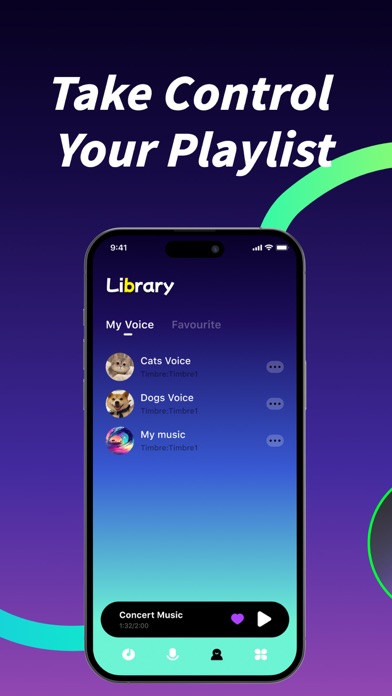
Every shipping app on the App Store has gone through the same decisions you're working through right now: which screenshot goes first, what caption sits over it, which device frame to show, what color the background should be. The 7 screenshots above are ToneSnap: Música MP3 Offline's answers to those questions — they're public, they're real, and they made it through Apple's review.
Notice the first screenshot in particular. It's the one users see in search results and on the product page, and it's where most apps spend their best caption and tightest design. Look at the proportion of background to phone, where the text sits, what one thing the image is trying to communicate.
Want to see how other Music apps approach the same problem? Browse more Music apps in the showcase.
Take what works into your own screenshots
Open LaunchShots and design your App Store & Google Play screenshots — pick a device frame, drop captions, ship in minutes. Free, in your browser.
Open the screenshot editor →