Screenshots

Icon palette
About this app
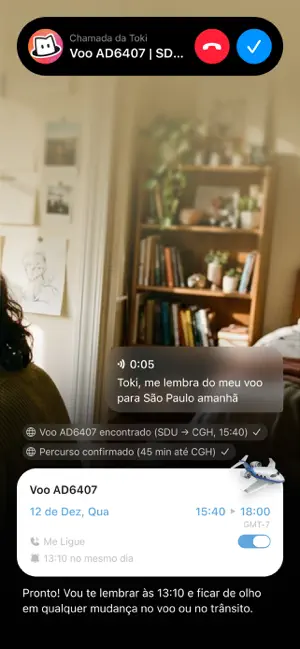
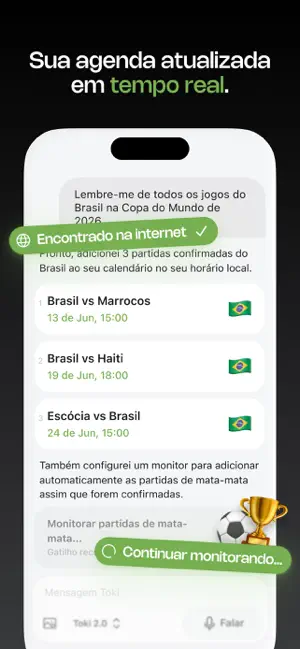
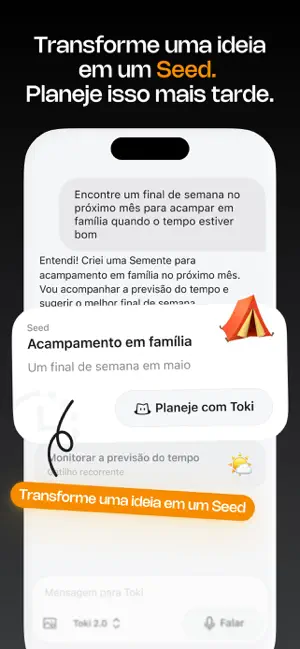
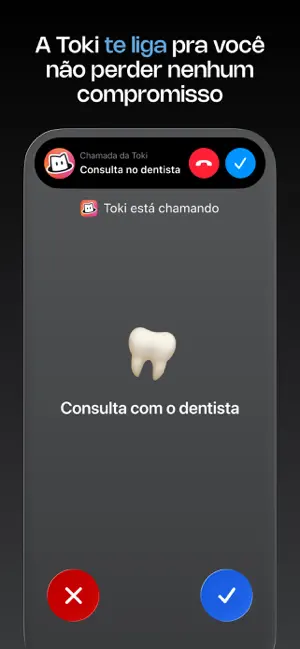
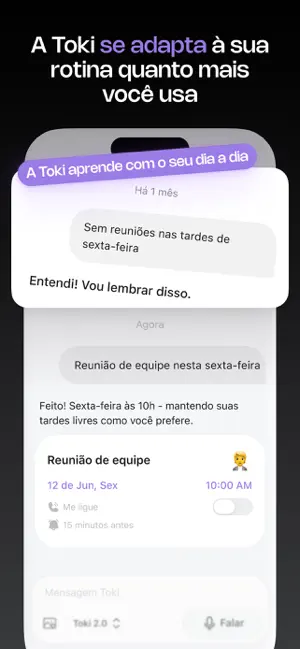
Toki — Seu agente de agenda Toki vai além de criar eventos em segundos. É um assistente inteligente que ajuda você a planejar o dia, focar no que importa e manter tudo sob controle. ► O que torna o Toki 2.0 diferente • Agendamento inteligente Transforma ideias e tarefas em planos estruturados — define horário, pessoas e detalhes para você. • Salve para depois Tem algo para fazer, mas não agora? O Toki lembra você no momento certo. • Fique por dentro do que importa Defina condições e receba atualizações automaticamente. • Todos os seus calendários em um só lugar Visualize tudo junto e encontre horários livres com facilidade. • Resolve conflitos automaticamente Detecta sobreposições e sugere melhores horários. • Lembretes até por chamada De notificações a ligações — nada passa despercebido. • Aprende seu estilo de organização Se adapta aos seus hábitos ao longo do tempo. Crie ev…
App details
What you can learn from Toki: Agenda e Tarefas com IA
Every shipping app on the App Store has gone through the same decisions you're working through right now: which screenshot goes first, what caption sits over it, which device frame to show, what color the background should be. The 6 screenshots above are Toki: Agenda e Tarefas com IA's answers to those questions — they're public, they're real, and they made it through Apple's review.
Notice the first screenshot in particular. It's the one users see in search results and on the product page, and it's where most apps spend their best caption and tightest design. Look at the proportion of background to phone, where the text sits, what one thing the image is trying to communicate.
Want to see how other Productivity apps approach the same problem? Browse more Productivity apps in the showcase.
Take what works into your own screenshots
Open LaunchShots and design your App Store & Google Play screenshots — pick a device frame, drop captions, ship in minutes. Free, in your browser.
Open the screenshot editor →