Chart position — tracked daily by LaunchShots
Screenshot changes — detected by LaunchShots
Screenshot style breakdown
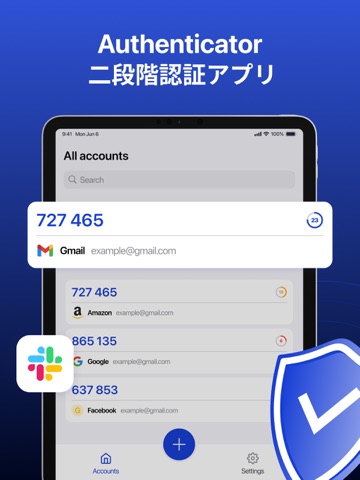
Sampled from 5 of 2段階認証・Authenticatorアプリ's App Store screenshots — background, accent and theme, measured by LaunchShots (not something Apple publishes).
#2C54D4 bg
#496BDA
#14246C accent
#FFFFFF text
- #1Authenticator
- #3Face ID
Captions read from the screenshots (OCR, may contain small errors): 2 headlines, 1.5 words on average (longest 2).
Screenshots


iPad screenshots


Icon palette
About this app
認証アプリでデジタルライフを安全に守ろう 当社の認証アプリは、シームレスかつ安全な2要素認証(2FA)体験を提供するために設計されています。ワンタイムパスコード(TOTP)を生成し、不正アクセスからオンラインアカウントを守ることで、ログインにさらなるセキュリティ層を追加します。 主な機能: - 複数アカウント対応: SNSから金融サービスまで、すべてのアカウントを一括管理・保護できます。 - 簡単な設定: QRコードをスキャンするか、手動で情報を入力して素早くアカウントを追加。 - Face ID・Touch ID対応: 生体認証でコードにすばやく安全にアクセス可能。 - クラウドバックアップ: iCloud上で安全にバックアップし、コードを失う心配なし。 - ダークモード対応: 暗い場所でも目に優しいスタイリッシュなインターフェース。 - 複数デバイス同期: 複数のデバイス間でコードをシームレスに同期し、利便性を向上。 メール、SNS、ネットバンキングなど、どんなアカウントでも、当社の認証アプリが強固なセキュリティであなたをサポートします…
App details
What you can learn from 2段階認証・Authenticatorアプリ
Every shipping app on the App Store has gone through the same decisions you're working through right now: which screenshot goes first, what caption sits over it, which device frame to show, what color the background should be. The 10 screenshots above are 2段階認証・Authenticatorアプリ's answers to those questions — they're public, they're real, and they made it through Apple's review.
What the numbers say: 2段階認証・Authenticatorアプリ runs a mixed light-and-dark set where the background shifts from screenshot to screenshot (first shot #2C54D4) — each image has to stand on its own, so the captions carry more of the story. The accent colour we picked up, #14246C, is the one to reuse for badges, arrows and highlighted words if you borrow this look. Hit Use this style to open the editor with these exact colours and drop your own screenshot in.
Notice the first screenshot in particular. It's the one users see in search results and on the product page, and it's where most apps spend their best caption and tightest design. Look at the proportion of background to phone, where the text sits, what one thing the image is trying to communicate.
Want to see how other Utilities apps approach the same problem? Browse more Utilities apps in the showcase.
Take what works into your own screenshots
Open LaunchShots and design your App Store & Google Play screenshots — pick a device frame, drop captions, ship in minutes. Free, in your browser.
Open the screenshot editor →Apps with a similar look
Closest background + accent colours among the listings we've analysed — useful when you want to see the same palette handled by a different team.