Chart position — tracked daily by LaunchShots
Screenshot changes — detected by LaunchShots
Screenshot style breakdown
Sampled from 6 of FocusFlight - 集中を取り戻したいあなたへ's App Store screenshots — background, accent and theme, measured by LaunchShots (not something Apple publishes).
#14141C bg
#34343B
#847444 accent
#FFFFFF text
Screenshots

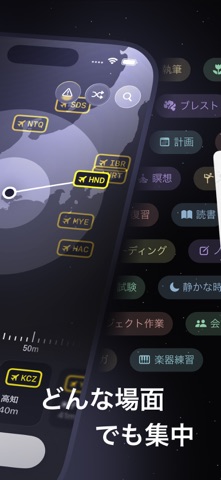

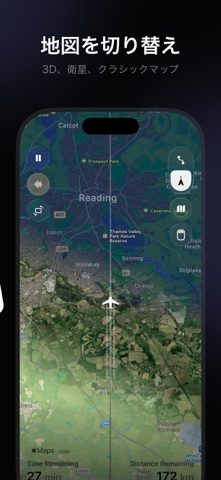


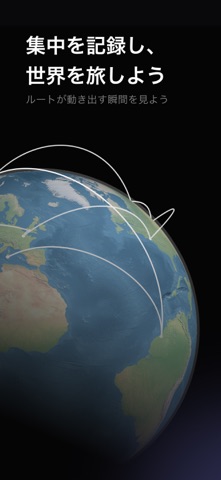


iPad screenshots


Icon palette
About this app
## 集中タイマー ## アプリブロッカー 気が散るものにあふれた世界で、FocusFlightは集中のための新しい方法を提供します。ひとつひとつの集中時間を、没入感のあるフライト体験へと変えてくれます。 搭乗、離陸、飛行中の集中、そして最後の着陸まで。FocusFlightは、航空体験のワクワク感と実用的な集中ツールを組み合わせました。単なるタイマーでも、ただのアプリブロッカーでもなく、気を散らすものから離れ、集中状態に入り、大切なことを終えるための体験です。 FocusFlightはApp Storeで「App of the Day」に選ばれました。勉強、仕事、読書、あるいは少しスマートフォンから離れたいときに、FocusFlightは集中を始めるきっかけをつくり、毎回の着陸で確かな達成感を届けます。 FOCUSFLIGHTの主な機能 【没入感のあるフライト体験】 FocusFlightを開くと、まるで集中のためのフライトに搭乗するような感覚が始まります。搭乗券を設定し、タスクと集中時間を選んで、自分だけの深い集中の旅へ出発しましょう。セッションが終わるとフライトは無事に着陸し…
App details
What you can learn from FocusFlight - 集中を取り戻したいあなたへ
Every shipping app on the App Store has gone through the same decisions you're working through right now: which screenshot goes first, what caption sits over it, which device frame to show, what color the background should be. The 16 screenshots above are FocusFlight - 集中を取り戻したいあなたへ's answers to those questions — they're public, they're real, and they made it through Apple's review.
What the numbers say: FocusFlight - 集中を取り戻したいあなたへ runs a dark set with one background colour (#14141C) carried across every screenshot — the listing reads as a single poster when the shots sit side by side in search results. The accent colour we picked up, #847444, is the one to reuse for badges, arrows and highlighted words if you borrow this look. Hit Use this style to open the editor with these exact colours and drop your own screenshot in.
Notice the first screenshot in particular. It's the one users see in search results and on the product page, and it's where most apps spend their best caption and tightest design. Look at the proportion of background to phone, where the text sits, what one thing the image is trying to communicate.
Want to see how other Productivity apps approach the same problem? Browse more Productivity apps in the showcase.
Take what works into your own screenshots
Open LaunchShots and design your App Store & Google Play screenshots — pick a device frame, drop captions, ship in minutes. Free, in your browser.
Open the screenshot editor →Apps with a similar look
Closest background + accent colours among the listings we've analysed — useful when you want to see the same palette handled by a different team.