Chart position — tracked daily by LaunchShots
Screenshot style breakdown
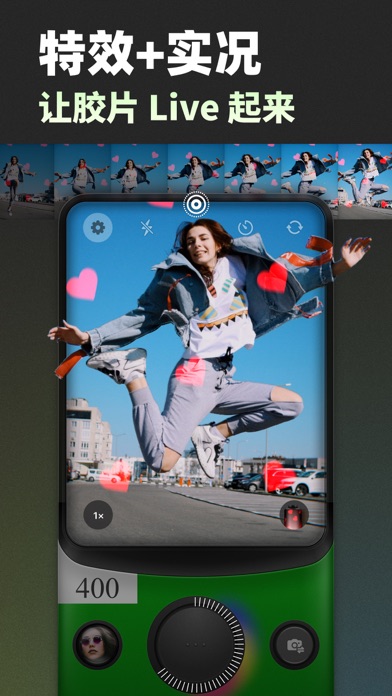
Sampled from 6 of Poka Cam - 复古特效胶片相机's App Store screenshots — background, accent and theme, measured by LaunchShots (not something Apple publishes).
#242424 bg
#424242
#1CB44C accent
#FFFFFF text
Screenshots



Icon palette
About this app
Poka Cam 是一款模拟胶片相机质感的复古相机 App。 ⊙ 复古经典胶片相机库,自由选择 以一次性相机和经典胶片滤镜为灵感的调色风格,结合精心设计的特效胶片效果和复古操作界面,打造独特的拍照与动态影像体验,让每一次拍摄都充满复古质感。 - FJ400:鲜明的色彩表现,精准还原自然肤色,适合多种场景。无论是人像还是风景,都能捕捉出自然、生动的色彩。 - KD800:经典暖色调,阳光或强光条件下效果尤佳,带来复古质感的温暖氛围,户外拍摄表现尤为出色。 - P400:冷调色彩,带有轻微噪点效果,使人像肤色显得更加白皙自然,适合营造清新淡雅的氛围。 - Jelly 03:冷色调风格,带有轻微的色散效果,适合拍摄清新自然的日系人像,让照片呈现柔和、淡雅的质感。 - Aura 200:柔和的黄色调,带有轻微广角和四周色散效果,适合拍摄带有柔和质感的人像和场景,营造自然温暖的氛围。 - 2000:浓郁的红调暖色,特别适合夜景和复古风格拍摄。开启闪光灯时效果尤佳,赋予照片大胆的视觉冲击力。 - 1986:浓郁的红调色彩,为照片带来强烈的复古氛围。适合阳光充足的环境,展…
App details
What you can learn from Poka Cam - 复古特效胶片相机
Every shipping app on the App Store has gone through the same decisions you're working through right now: which screenshot goes first, what caption sits over it, which device frame to show, what color the background should be. The 7 screenshots above are Poka Cam - 复古特效胶片相机's answers to those questions — they're public, they're real, and they made it through Apple's review.
What the numbers say: Poka Cam - 复古特效胶片相机 runs a mixed light-and-dark set where the background shifts from screenshot to screenshot (first shot #242424) — each image has to stand on its own, so the captions carry more of the story. The accent colour we picked up, #1CB44C, is the one to reuse for badges, arrows and highlighted words if you borrow this look. Hit Use this style to open the editor with these exact colours and drop your own screenshot in.
Notice the first screenshot in particular. It's the one users see in search results and on the product page, and it's where most apps spend their best caption and tightest design. Look at the proportion of background to phone, where the text sits, what one thing the image is trying to communicate.
Want to see how other Photo & Video apps approach the same problem? Browse more Photo & Video apps in the showcase.
Take what works into your own screenshots
Open LaunchShots and design your App Store & Google Play screenshots — pick a device frame, drop captions, ship in minutes. Free, in your browser.
Open the screenshot editor →Apps with a similar look
Closest background + accent colours among the listings we've analysed — useful when you want to see the same palette handled by a different team.