Chart position — tracked daily by LaunchShots
Screenshot changes — detected by LaunchShots
Screenshot style breakdown
Sampled from 6 of 得到大脑(原Get笔记)- AI记录与内容创作's App Store screenshots — background, accent and theme, measured by LaunchShots (not something Apple publishes).
#F4F4FC bg
#D6D6DD
#FC942C accent
#111111 text
Screenshots
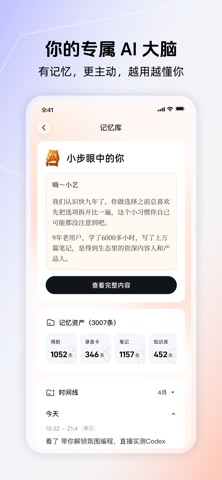
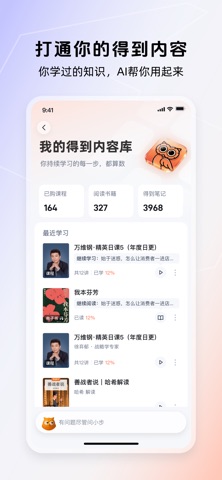
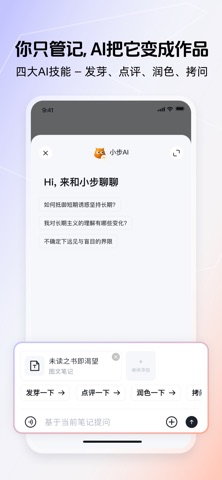


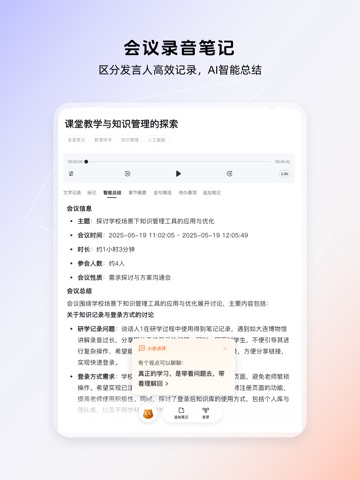
iPad screenshots



Icon palette
About this app
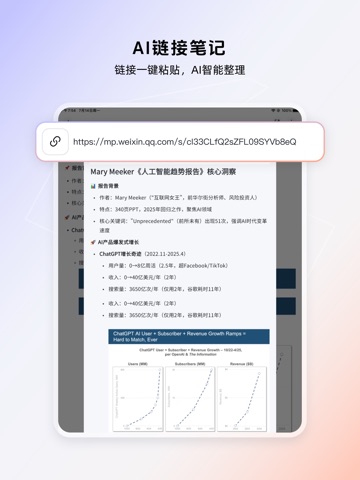
得到大脑,用AI重新定义个人记录与创作——每一条记录,AI都真正读懂;每一次积累,AI都帮你变成作品。 【随手记录,AI帮你整理好】 语音说完自动变笔记,录音、链接、图片、文字,想记就记。不用打字,不用归类,AI替你把一切整理好。 【你的专属 AI 大脑】 AI记得你说过什么、想过什么。不只是存储,AI理解每一条记录的含义,自动关联、沉淀,随时可以调用——越用越懂你。 【把记录变成作品】 记录之后,AI给你点评、帮想法发芽、深度拷问、反复打磨——把一条粗糙的念头,一步步变成有价值的内容。每天的录音、笔记、对话,AI帮你提炼整理,变成小红书、公众号、朋友圈一键可发的内容。 【背后是得到十年的内容功底】 得到深耕知识服务十年,积累了海量优质内容资产和内容生产方法论——这些现在全装进了得到大脑。 快来记录、沉淀、成为作品! 得到大脑帮你,颗粒归仓,向前一步。 【服务协议】 会员服务规则:https://www.dedao.cn/activity#/activity/index?aid=672b49fe6f44bdeadb49b222 自动续费服务说明:https://www.dedao.cn/activity#/activity/index?aid=…
App details
What you can learn from 得到大脑(原Get笔记)- AI记录与内容创作
Every shipping app on the App Store has gone through the same decisions you're working through right now: which screenshot goes first, what caption sits over it, which device frame to show, what color the background should be. The 16 screenshots above are 得到大脑(原Get笔记)- AI记录与内容创作's answers to those questions — they're public, they're real, and they made it through Apple's review.
What the numbers say: 得到大脑(原Get笔记)- AI记录与内容创作 runs a light set with one background colour (#F4F4FC) carried across every screenshot — the listing reads as a single poster when the shots sit side by side in search results. The accent colour we picked up, #FC942C, is the one to reuse for badges, arrows and highlighted words if you borrow this look. Hit Use this style to open the editor with these exact colours and drop your own screenshot in.
Notice the first screenshot in particular. It's the one users see in search results and on the product page, and it's where most apps spend their best caption and tightest design. Look at the proportion of background to phone, where the text sits, what one thing the image is trying to communicate.
Want to see how other Productivity apps approach the same problem? Browse more Productivity apps in the showcase.
Take what works into your own screenshots
Open LaunchShots and design your App Store & Google Play screenshots — pick a device frame, drop captions, ship in minutes. Free, in your browser.
Open the screenshot editor →Apps with a similar look
Closest background + accent colours among the listings we've analysed — useful when you want to see the same palette handled by a different team.