Chart position — tracked daily by LaunchShots
Screenshot changes — detected by LaunchShots
Screenshot style breakdown
Sampled from 6 of Chatbot App - AIアシスタント's App Store screenshots — background, accent and theme, measured by LaunchShots (not something Apple publishes).
#FCFCFC bg
#DDDDDD
#0484AC accent
#111111 text
Reading the caption text from the screenshots in your browser…
Screenshots



Icon palette
About this app
Chatbot Appは、文章作成、学習、コーディング、クリエイティブな作業、生産性向上に役立つ最先端のAIモデルを、ひとつの使いやすいアプリに集約しています。 OpenAI GPT-6、Google Gemini 3.8 Flash、Anthropic Claude Fable 5.1、Anthropic Claude Opus 5、xAI Grok 4.5、DeepSeek V4 Pro、Kimi K3を搭載したChatbot Appは、日常のあらゆるタスクをサポートする、高速かつ高精度なAIアシスタントを提供します。 仕事や勉強、コンテンツ制作、アイデアのリサーチ、ちょっとした疑問の解決まで。Chatbot Appは、高度なAIで文章作成をサポートし、毎日の作業をもっと効率的に進められます。 必要な機能がすべて1つのAIアプリに Chatbot Appで、毎日の作業をもっとシンプルに。生産性を高め、さまざまなタスクを効率よく進められます。 • 高性能AIとチャットし、質問への回答や自然な会話をすぐに開始 • テキストから魅力的なAI画像を生成 • ウェブを検索して最新情報を取得 • メール、記事、キャプション、エッセイなどを作成 • あらゆる文章の書き直し、要約、加筆…
App details
What you can learn from Chatbot App - AIアシスタント
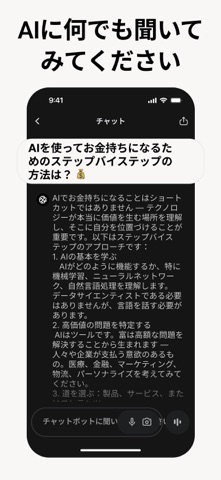
Every shipping app on the App Store has gone through the same decisions you're working through right now: which screenshot goes first, what caption sits over it, which device frame to show, what color the background should be. The 8 screenshots above are Chatbot App - AIアシスタント's answers to those questions — they're public, they're real, and they made it through Apple's review.
What the numbers say: Chatbot App - AIアシスタント runs a light set with one background colour (#FCFCFC) carried across every screenshot — the listing reads as a single poster when the shots sit side by side in search results. The accent colour we picked up, #0484AC, is the one to reuse for badges, arrows and highlighted words if you borrow this look. Hit Use this style to open the editor with these exact colours and drop your own screenshot in.
Notice the first screenshot in particular. It's the one users see in search results and on the product page, and it's where most apps spend their best caption and tightest design. Look at the proportion of background to phone, where the text sits, what one thing the image is trying to communicate.
Want to see how other Productivity apps approach the same problem? Browse more Productivity apps in the showcase.
Take what works into your own screenshots
Open LaunchShots and design your App Store & Google Play screenshots — pick a device frame, drop captions, ship in minutes. Free, in your browser.
Open the screenshot editor →Apps with a similar look
Closest background + accent colours among the listings we've analysed — useful when you want to see the same palette handled by a different team.