Screenshot style breakdown
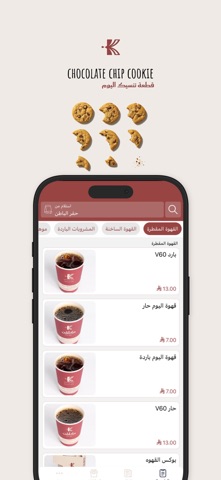
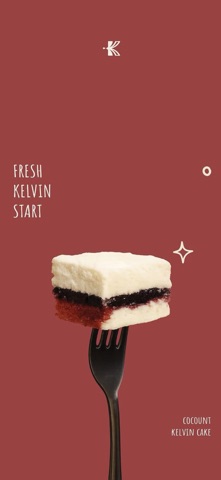
Sampled from 6 of Kelvin Cafe | كلڤن's App Store screenshots — background, accent and theme, measured by LaunchShots (not something Apple publishes).
#ECECE4 bg
#CFCFC8
#CC443C accent
#111111 text
Screenshots




Icon palette
About this app
مرحبًا بكم في “كلڤن”، المقهى الذي يجمع بين الأجواء الهادئة والنكهات الرائعة. نقدم لكم مجموعة متنوعة من الأطعمة والمشروبات التي تلبي جميع الأذواق. سواء كنت تبحث عن قهوة صباحية منعشة، أو وجبة خفيفة لذيذة، أو مكان مريح للعمل أو اللقاءات الاجتماعية، فإن “كلڤن” هو وجهتك المثالية. انضم إلينا واستمتع بتجربة فريدة من نوعها. مميزات التطبيق: تنوع الأطباق: يقدم التطبيق مجموعة واسعة من الأطباق السورية والمصرية، بالإضافة إلى أكلات متنوعة من مطابخ أخرى. سهولة الطلب: اطلب وجبتك المفضلة بسهولة وسرعة من خلال واجهة مستخدم بسيطة وسهلة الاستخدام. تتبع الطلب: تابع حالة طلبك لحظة بلحظة حتى وصوله إلى باب منزلك.
App details
What you can learn from Kelvin Cafe | كلڤن
Every shipping app on the App Store has gone through the same decisions you're working through right now: which screenshot goes first, what caption sits over it, which device frame to show, what color the background should be. The 6 screenshots above are Kelvin Cafe | كلڤن's answers to those questions — they're public, they're real, and they made it through Apple's review.
What the numbers say: Kelvin Cafe | كلڤن runs a mixed light-and-dark set where the background shifts from screenshot to screenshot (first shot #ECECE4) — each image has to stand on its own, so the captions carry more of the story. The accent colour we picked up, #CC443C, is the one to reuse for badges, arrows and highlighted words if you borrow this look. Hit Use this style to open the editor with these exact colours and drop your own screenshot in.
Notice the first screenshot in particular. It's the one users see in search results and on the product page, and it's where most apps spend their best caption and tightest design. Look at the proportion of background to phone, where the text sits, what one thing the image is trying to communicate.
Want to see how other Food & Drink apps approach the same problem? Browse more Food & Drink apps in the showcase.
Take what works into your own screenshots
Open LaunchShots and design your App Store & Google Play screenshots — pick a device frame, drop captions, ship in minutes. Free, in your browser.
Open the screenshot editor →Apps with a similar look
Closest background + accent colours among the listings we've analysed — useful when you want to see the same palette handled by a different team.