Screenshots
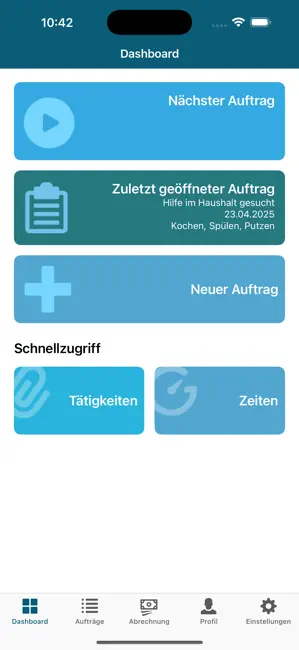


Icon palette
About this app
Hinweis: Die App ist derzeit nur in München, Northeim und Dietzenbach nutzbar. Die Helferportal-App für Suchende unterstützt Sie dabei, passgenaue Hilfe für Ihren Alltag zu finden: Sie bringt Ihren individuellen Unterstützungsbedarf mit den Fähigkeiten und Angeboten von bürgerschaftlich Engagierten und professionellen Dienstleistern in Einklang – prüft deren Verfügbarkeit und ermöglicht Ihnen, passende Unterstützung gezielt auszuwählen und direkt zu buchen. So funktioniert’s: • Passende Unterstützung oder Assistenz finden Stellen Sie Ihren Unterstützungsbedarf als einmaligen oder regelmäßigen Auftrag ein – die App zeigt Ihnen passende, verfügbare Engagierte, Assistenten und Dienstleister an. • Einfach buchen & sicher kommunizieren Nehmen Sie per Chat, Video oder Audio Kontakt mit verfügbaren Anbietern auf, lernen Sie Ihre potenziellen Engagierten oder Assistenten kennen und buchen Si…
App details
What you can learn from Helferportal für Suchende
Every shipping app on the App Store has gone through the same decisions you're working through right now: which screenshot goes first, what caption sits over it, which device frame to show, what color the background should be. The 6 screenshots above are Helferportal für Suchende's answers to those questions — they're public, they're real, and they made it through Apple's review.
Notice the first screenshot in particular. It's the one users see in search results and on the product page, and it's where most apps spend their best caption and tightest design. Look at the proportion of background to phone, where the text sits, what one thing the image is trying to communicate.
Want to see how other Social Networking apps approach the same problem? Browse more Social Networking apps in the showcase.
Take what works into your own screenshots
Open LaunchShots and design your App Store & Google Play screenshots — pick a device frame, drop captions, ship in minutes. Free, in your browser.
Open the screenshot editor →