Chart position — tracked daily by LaunchShots
Screenshot style breakdown
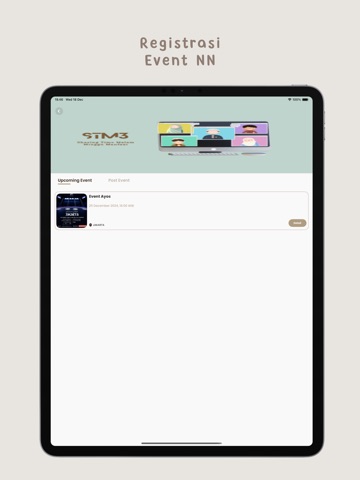
Sampled from 6 of Ngafal Ngefeel's App Store screenshots — background, accent and theme, measured by LaunchShots (not something Apple publishes).
#AC9C8C bg
#97897B
#9CB434 accent
#111111 text
Screenshots



iPad screenshots





Icon palette
About this app
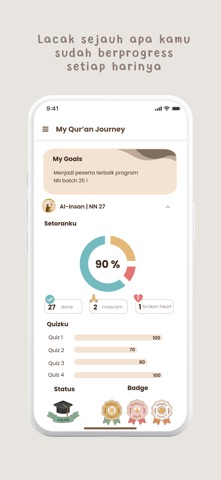
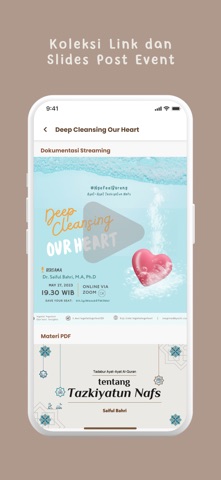
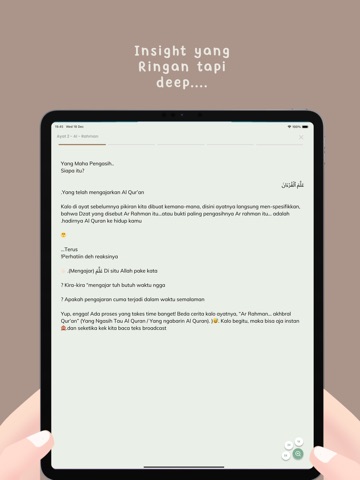
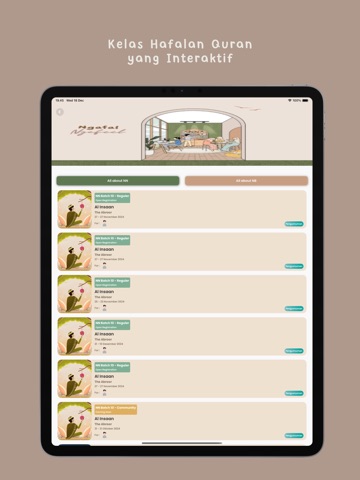
Kenalin NN App, aplikasi keren buat kamu yang pengen makin paham dan dekat dengan Al-Quran. Cocok banget buat anak muda! Di sini, kamu bisa tadabbur dengan visualisasi yang menarik, bikin tiap ayat terasa hidup dan mudah dipahami. Nggak perlu khawatir kalau bahasanya berat, karena kontennya dikemas dengan bahasa yang ringan tapi tetap deep dan penuh makna. Ada juga kelas hafalan Al-Quran interaktif buat yang mau hafal secara bertahap, sambil tetap fun! Setiap bulannya, kamu bisa ikut event seru yang membahas Al-Quran dengan cara yang fresh. Buat yang ga suka baca, tenang! Kamu bisa coba podcast eksklusif dengan sound effect asik yang bikin suasana tadabbur makin mendalam. Yuk, download NN App sekarang! Bawa pemahaman Al-Quran jadi bagian dari keseharianmu dengan cara yang seru dan menyenangkan!
App details
What you can learn from Ngafal Ngefeel
Every shipping app on the App Store has gone through the same decisions you're working through right now: which screenshot goes first, what caption sits over it, which device frame to show, what color the background should be. The 20 screenshots above are Ngafal Ngefeel's answers to those questions — they're public, they're real, and they made it through Apple's review.
What the numbers say: Ngafal Ngefeel runs a light set where the background shifts from screenshot to screenshot (first shot #AC9C8C) — each image has to stand on its own, so the captions carry more of the story. The accent colour we picked up, #9CB434, is the one to reuse for badges, arrows and highlighted words if you borrow this look. Hit Use this style to open the editor with these exact colours and drop your own screenshot in.
Notice the first screenshot in particular. It's the one users see in search results and on the product page, and it's where most apps spend their best caption and tightest design. Look at the proportion of background to phone, where the text sits, what one thing the image is trying to communicate.
Want to see how other Book apps approach the same problem? Browse more Book apps in the showcase.
Take what works into your own screenshots
Open LaunchShots and design your App Store & Google Play screenshots — pick a device frame, drop captions, ship in minutes. Free, in your browser.
Open the screenshot editor →Apps with a similar look
Closest background + accent colours among the listings we've analysed — useful when you want to see the same palette handled by a different team.