Chart position — tracked daily by LaunchShots
Screenshot changes — detected by LaunchShots
Screenshot style breakdown
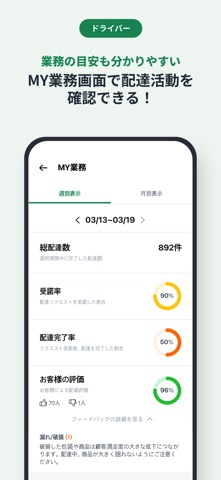
Sampled from 6 of Rocket Now Partner:デリバリー&セールス's App Store screenshots — background, accent and theme, measured by LaunchShots (not something Apple publishes).
#043C84 bg
#275795
#FC6C1C accent
#FFFFFF text
Screenshots

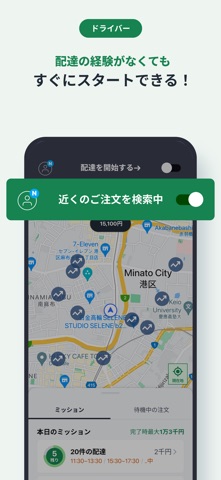
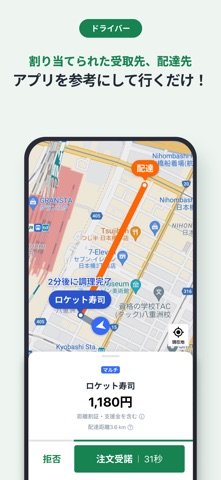
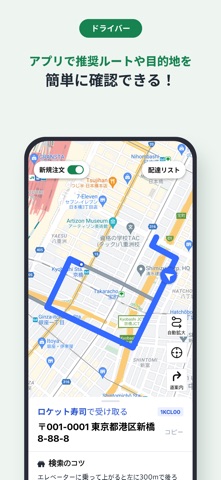
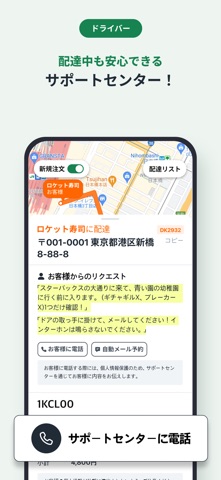

Icon palette
About this app
Rocket Nowのパートナーになって配達や店舗の加盟をサポートしませんか? - 自由に選べる配達手段 自転車、バイク、車、徒歩など、好きな手段で配達できます。 - 店舗のRocket Now加盟をサポートして、1店主あたり最大3万円のボーナスがもらえる! 今すぐグルメアンバサダープログラムに登録して、収入アップを実現してみてください。 - 簡単登録ですぐに始められる アプリの案内に従って簡単に登録し、すぐに配達を開始できます!18歳以上で日本国籍をお持ちの方であれば、どなたでもご登録いただけます。 - 融通が利く勤務体系 Rocket Nowのパートナーは好きな時間に好きな場所で好きなだけ働けます。 - 手厚いサポート体制 パートナー登録や配達・セールス業務に関するご質問は、お気軽にサポートセンターまでお問い合わせください。 [サポートセンターへのお問い合わせ] サポートセンター:050-3823-7415 メール:rocket-now@rocketnow.co.jp
App details
What you can learn from Rocket Now Partner:デリバリー&セールス
Every shipping app on the App Store has gone through the same decisions you're working through right now: which screenshot goes first, what caption sits over it, which device frame to show, what color the background should be. The 7 screenshots above are Rocket Now Partner:デリバリー&セールス's answers to those questions — they're public, they're real, and they made it through Apple's review.
What the numbers say: Rocket Now Partner:デリバリー&セールス runs a mixed light-and-dark set where the background shifts from screenshot to screenshot (first shot #043C84) — each image has to stand on its own, so the captions carry more of the story. The accent colour we picked up, #FC6C1C, is the one to reuse for badges, arrows and highlighted words if you borrow this look. Hit Use this style to open the editor with these exact colours and drop your own screenshot in.
Notice the first screenshot in particular. It's the one users see in search results and on the product page, and it's where most apps spend their best caption and tightest design. Look at the proportion of background to phone, where the text sits, what one thing the image is trying to communicate.
Want to see how other Business apps approach the same problem? Browse more Business apps in the showcase.
Take what works into your own screenshots
Open LaunchShots and design your App Store & Google Play screenshots — pick a device frame, drop captions, ship in minutes. Free, in your browser.
Open the screenshot editor →Apps with a similar look
Closest background + accent colours among the listings we've analysed — useful when you want to see the same palette handled by a different team.