Chart position — tracked daily by LaunchShots
Screenshot style breakdown
Sampled from 5 of NovelMax - Stories & Novels's App Store screenshots — background, accent and theme, measured by LaunchShots (not something Apple publishes).
#FCECE4 bg
#DDCFC8
#345C6C accent
#111111 text
Reading the caption text from the screenshots in your browser…
Screenshots

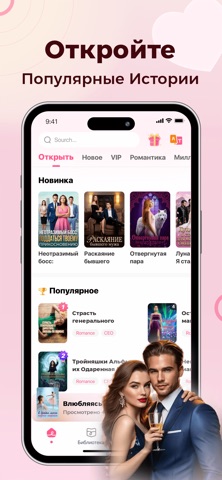
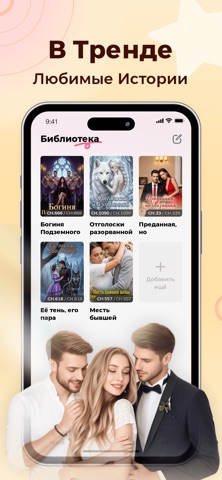


Icon palette
About this app
Добро пожаловать в NovelMax — ваше идеальное место для захватывающих приключений и незабываемых историй! NovelMax предлагает вам настоящую сокровищницу романов, переносящих в удивительные миры. Любите ли вы эпическое западное фэнтези с мифическими существами или восточные жанры — wuxia, xianxia и xuanhuan — здесь всегда найдётся история по вкусу. Любите прокачку и развитие? Вас ждут системные истории, litRPG и прогрессивное фэнтези. С NovelMax вы получаете доступ к огромной библиотеке историй от авторов со всего мира и комфортное чтение без отвлекающих факторов. Аудиокниги с профессиональной озвучкой позволят наслаждаться историями в любое время. Присоединяйтесь к NovelMax уже сегодня и начните своё новое приключение! Оплата: Сумма будет списана с аккаунта iTunes. Продление: Списание происходит за 24 часа до окончания срока. Отмена: Отключите автообновление в Apple ID > Подписки >…
App details
What you can learn from NovelMax - Stories & Novels
Every shipping app on the App Store has gone through the same decisions you're working through right now: which screenshot goes first, what caption sits over it, which device frame to show, what color the background should be. The 5 screenshots above are NovelMax - Stories & Novels's answers to those questions — they're public, they're real, and they made it through Apple's review.
What the numbers say: NovelMax - Stories & Novels runs a light set where the background shifts from screenshot to screenshot (first shot #FCECE4) — each image has to stand on its own, so the captions carry more of the story. The accent colour we picked up, #345C6C, is the one to reuse for badges, arrows and highlighted words if you borrow this look. Hit Use this style to open the editor with these exact colours and drop your own screenshot in.
Notice the first screenshot in particular. It's the one users see in search results and on the product page, and it's where most apps spend their best caption and tightest design. Look at the proportion of background to phone, where the text sits, what one thing the image is trying to communicate.
Want to see how other Book apps approach the same problem? Browse more Book apps in the showcase.
Take what works into your own screenshots
Open LaunchShots and design your App Store & Google Play screenshots — pick a device frame, drop captions, ship in minutes. Free, in your browser.
Open the screenshot editor →Apps with a similar look
Closest background + accent colours among the listings we've analysed — useful when you want to see the same palette handled by a different team.