Screenshot style breakdown
Sampled from 6 of みらくるポイント's App Store screenshots — background, accent and theme, measured by LaunchShots (not something Apple publishes).
#747474 bg
#878787
#7CC4BC accent
#FFFFFF text
Reading the caption text from the screenshots in your browser…
Screenshots


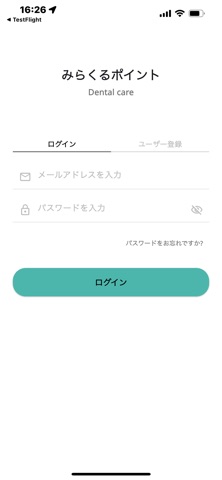
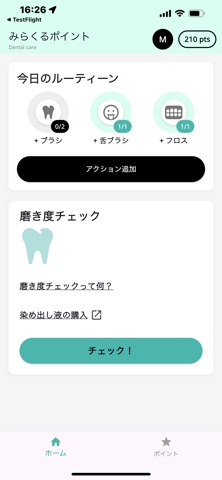

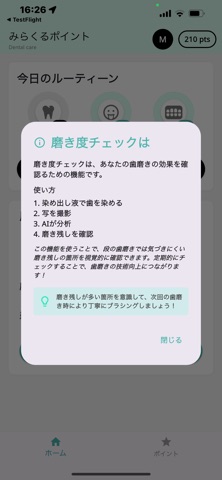


iPad screenshots


Icon palette
About this app
歯磨き後に染め出し液を使用し、口腔内の磨き残しを正確に数値化。毎日の歯磨き、舌磨き、フロスの実施状況を記録し、磨き率を向上させることでポイントを獲得できます。正しいオーラルケアを習慣化し、健康な歯と口腔環境を維持しましょう。獲得したポイントは、将来的に提供予定のサブスク商品購入時に利用可能です。現在はサブスク機能未実装ですが、今後お得なプランを導入予定。日々のケアを可視化し、モチベーションを高めながら楽しく継続できる仕組みを提供します。簡単な操作ご家族全員で利用可能です。正しいケアを続けることで将来の虫歯や歯周病リスクを軽減し、歯の健康を長く守ることができます。あなたも今日から新しいオーラルケア習慣を楽しく始めませんか?
App details
What you can learn from みらくるポイント
Every shipping app on the App Store has gone through the same decisions you're working through right now: which screenshot goes first, what caption sits over it, which device frame to show, what color the background should be. The 17 screenshots above are みらくるポイント's answers to those questions — they're public, they're real, and they made it through Apple's review.
What the numbers say: みらくるポイント runs a mixed light-and-dark set where the background shifts from screenshot to screenshot (first shot #747474) — each image has to stand on its own, so the captions carry more of the story. The accent colour we picked up, #7CC4BC, is the one to reuse for badges, arrows and highlighted words if you borrow this look. Hit Use this style to open the editor with these exact colours and drop your own screenshot in.
Notice the first screenshot in particular. It's the one users see in search results and on the product page, and it's where most apps spend their best caption and tightest design. Look at the proportion of background to phone, where the text sits, what one thing the image is trying to communicate.
Want to see how other Health & Fitness apps approach the same problem? Browse more Health & Fitness apps in the showcase.
Take what works into your own screenshots
Open LaunchShots and design your App Store & Google Play screenshots — pick a device frame, drop captions, ship in minutes. Free, in your browser.
Open the screenshot editor →Apps with a similar look
Closest background + accent colours among the listings we've analysed — useful when you want to see the same palette handled by a different team.