Screenshot changes — detected by LaunchShots
Screenshot style breakdown
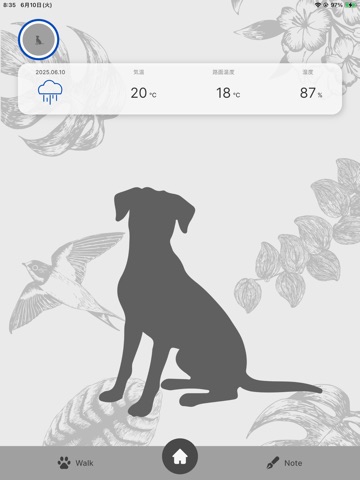
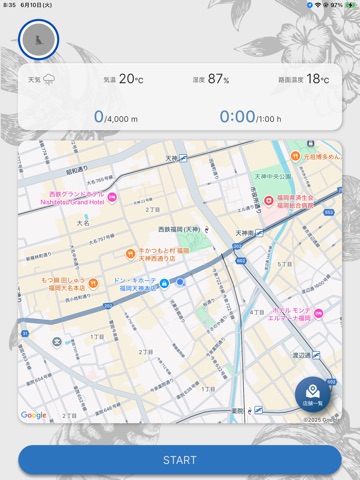
Sampled from 6 of MIRANEST's App Store screenshots — background, accent and theme, measured by LaunchShots (not something Apple publishes).
#DCDCDC bg
#C1C1C1
#BCA474 accent
#111111 text
Screenshots


iPad screenshots

Icon palette
About this app
MIRANESTアプリは、会員であることの全部が集まる場所です。 - 特典を受け取る - 健診を受ける - 結果を残す - AIコンシェルジュに相談する あなたとMIRANESTと病院が、ひとつのアプリでつながる。 そのいちばんの中心は、健康診断。提携動物病院で受けられるMIRANEST健診のチケットは、対象となる会員へ。そして後日、健診結果はアプリに自動反映され、前回との比較も簡単にできます。気になる数値があれば、健診結果の画面からダイレクトにAIコンシェルジュに相談することも。病院で受け取った紙を、家に帰ってから探し直す必要はない。チケット、結果、相談が、同じ場所で続きます。 他にも、MIRANESTでのお買い物履歴や取扱店舗、直営店情報の確認も。MIRANEST会員とその家族のための機能を詰め込みました。 愛犬・愛猫との健康で豊かな生活のため、MIRANESTアプリで会員体験をスタートさせましょう。 ※ご利用にあたって※ ・一部の機能・特典には、会員ステータスなどの利用条件がございます。 ・利用できる機能は、OSやアプリのバージョンにより異なる場合…
App details
What you can learn from MIRANEST
Every shipping app on the App Store has gone through the same decisions you're working through right now: which screenshot goes first, what caption sits over it, which device frame to show, what color the background should be. The 10 screenshots above are MIRANEST's answers to those questions — they're public, they're real, and they made it through Apple's review.
What the numbers say: MIRANEST runs a light set where the background shifts from screenshot to screenshot (first shot #DCDCDC) — each image has to stand on its own, so the captions carry more of the story. The accent colour we picked up, #BCA474, is the one to reuse for badges, arrows and highlighted words if you borrow this look. Hit Use this style to open the editor with these exact colours and drop your own screenshot in.
Notice the first screenshot in particular. It's the one users see in search results and on the product page, and it's where most apps spend their best caption and tightest design. Look at the proportion of background to phone, where the text sits, what one thing the image is trying to communicate.
Want to see how other Health & Fitness apps approach the same problem? Browse more Health & Fitness apps in the showcase.
Take what works into your own screenshots
Open LaunchShots and design your App Store & Google Play screenshots — pick a device frame, drop captions, ship in minutes. Free, in your browser.
Open the screenshot editor →Apps with a similar look
Closest background + accent colours among the listings we've analysed — useful when you want to see the same palette handled by a different team.