Screenshots


Icon palette
About this app
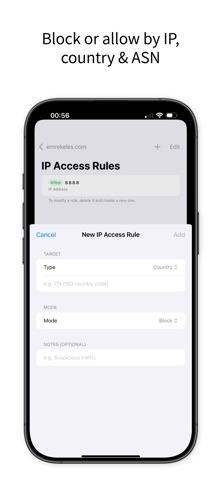
Cloudflare Remote is a powerful mobile DNS and domain manager built for professionals who need full control of their Cloudflare infrastructure—anytime, anywhere. Manage DNS records, firewall rules, SSL settings, analytics, and security features directly from your iPhone with a fast, secure, and intuitive interface. No API key information is ever stored DNS & DOMAIN MANAGEMENT • Manage unlimited DNS records (A, AAAA, CNAME, MX, TXT, NS, SRV) • Create, edit, and delete DNS records instantly • Real-time DNS propagation monitoring • Bulk DNS management • Quick response to DNS attacks with instant updates • Multi-account support with fast switching ANALYTICS & MONITORING • Real-time traffic analytics dashboard • Request counts, bandwidth usage, and visitor insights • Cache hit rate & cached vs uncached traffic • HTTP status code distribution (2xx, 3xx, 4xx, 5xx) • Top countries traff…
App details
What you can learn from Cloudflare Remote
Every shipping app on the App Store has gone through the same decisions you're working through right now: which screenshot goes first, what caption sits over it, which device frame to show, what color the background should be. The 8 screenshots above are Cloudflare Remote's answers to those questions — they're public, they're real, and they made it through Apple's review.
Notice the first screenshot in particular. It's the one users see in search results and on the product page, and it's where most apps spend their best caption and tightest design. Look at the proportion of background to phone, where the text sits, what one thing the image is trying to communicate.
Want to see how other Developer Tools apps approach the same problem? Browse more Developer Tools apps in the showcase.
Take what works into your own screenshots
Open LaunchShots and design your App Store & Google Play screenshots — pick a device frame, drop captions, ship in minutes. Free, in your browser.
Open the screenshot editor →