Chart position — tracked daily by LaunchShots
Screenshot style breakdown
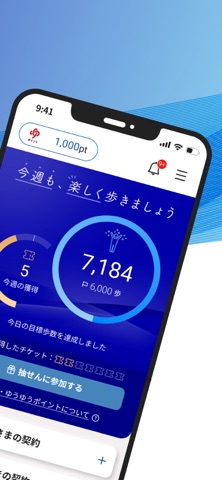
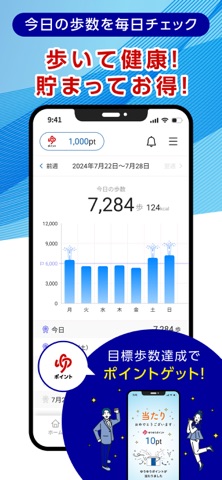
Sampled from 3 of かんぽアプリ's App Store screenshots — background, accent and theme, measured by LaunchShots (not something Apple publishes).
#FCFCFC bg
#DDDDDD
#04049C accent
#111111 text
Screenshots

Icon palette
About this app
ご利用のみなさま----------- ■ 歩いて健康、貯まって嬉しい 目標歩数を達成し、抽せんチケットをゲット! 毎週行える抽せんで、ゆうゆうポイントを獲得し、限定商品と交換! ※ゆうゆうポイントは郵便局を利用したり、来局するだけで手軽に貯められるポイントです。貯まったポイントは家族でシェアしたり、大切な人とつながりを深める商品と交換できます。ご契約者さまに限らず、アプリ利用者全員が抽せんに参加できます。 ご契約者さま------- ■ アプリからかんたんにご契約内容の確認・お手続き ご契約内容がアプリのトップ画面からすぐに確認できます。またかんぽ生命のご契約に関する以下のようなお手続きができます。 ・住所変更 ・保険金の請求 ・控除証明書の再発行 など ■ 大切なお知らせを見逃さず、すっきり管理 お知らせや書類をアプリにおまとめ。 あの書類、どこにあったかな…?と迷うことなく、すぐにチェックすることができます。 ■ 困った時も安心!すぐにつながる アプリのトップ画面から、担当者に電話でかんたんに相談できます。お困りごとの…
App details
What you can learn from かんぽアプリ
Every shipping app on the App Store has gone through the same decisions you're working through right now: which screenshot goes first, what caption sits over it, which device frame to show, what color the background should be. The 3 screenshots above are かんぽアプリ's answers to those questions — they're public, they're real, and they made it through Apple's review.
What the numbers say: かんぽアプリ runs a light set with one background colour (#FCFCFC) carried across every screenshot — the listing reads as a single poster when the shots sit side by side in search results. The accent colour we picked up, #04049C, is the one to reuse for badges, arrows and highlighted words if you borrow this look. Hit Use this style to open the editor with these exact colours and drop your own screenshot in.
Notice the first screenshot in particular. It's the one users see in search results and on the product page, and it's where most apps spend their best caption and tightest design. Look at the proportion of background to phone, where the text sits, what one thing the image is trying to communicate.
Want to see how other Health & Fitness apps approach the same problem? Browse more Health & Fitness apps in the showcase.
Take what works into your own screenshots
Open LaunchShots and design your App Store & Google Play screenshots — pick a device frame, drop captions, ship in minutes. Free, in your browser.
Open the screenshot editor →Apps with a similar look
Closest background + accent colours among the listings we've analysed — useful when you want to see the same palette handled by a different team.