Chart position — tracked daily by LaunchShots
Screenshot changes — detected by LaunchShots
Screenshot style breakdown
Sampled from 6 of イラスト変換's App Store screenshots — background, accent and theme, measured by LaunchShots (not something Apple publishes).
#044CC4 bg
#2765CC
#4CC4FC accent
#FFFFFF text
Screenshots
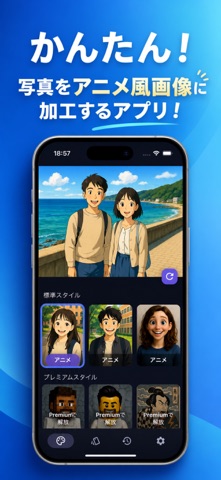
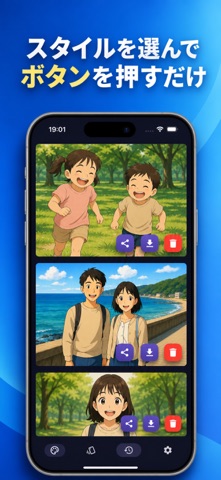


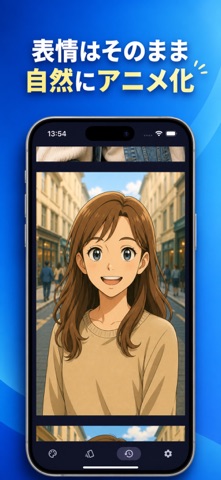
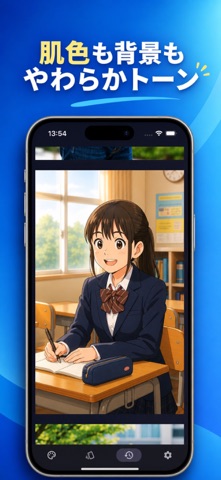
iPad screenshots


Icon palette
About this app
自撮り写真をアニメ風に、あなただけのアニメスタイルを作ろう! 「イラスト変換」は、あなたの写真をアニメ風イラストに変換するAIアプリです。 難しい操作やスキルは一切不要。写真をアップロードしてワンタップするだけで、自分だけのアート作品が完成します。 かわいく、優しく、温かみのあるタッチで、あなたの“今”を物語のワンシーンに変えてくれます。 主な特徴 かんたんワンタップ操作 写真をアップロード → スタイルを選択 → イラストを生成。 直感的なUIで、誰でもすぐに使えます。 自然で繊細なイラスト表現 まるで手描きのような柔らかい仕上がり。 落ち着いたアニメ調タッチで、表情や空気感をやさしく表現します。 プロフィール・SNSに最適 生成した画像はそのまま保存&共有可能。 SNSのプロフィールアイコンにもぴったりです。 思い出の整理・保存に 家族写真、旅行の写真、子供や孫の成長記録など、日常の1枚をアニメ風アートとして残せます。 誕生日、七五三、入学、卒業、旅行、年賀状用の写真など、大切な思い出を一枚の作品に。 プレゼン…
App details
What you can learn from イラスト変換
Every shipping app on the App Store has gone through the same decisions you're working through right now: which screenshot goes first, what caption sits over it, which device frame to show, what color the background should be. The 11 screenshots above are イラスト変換's answers to those questions — they're public, they're real, and they made it through Apple's review.
What the numbers say: イラスト変換 runs a dark set where the background shifts from screenshot to screenshot (first shot #044CC4) — each image has to stand on its own, so the captions carry more of the story. The accent colour we picked up, #4CC4FC, is the one to reuse for badges, arrows and highlighted words if you borrow this look. Hit Use this style to open the editor with these exact colours and drop your own screenshot in.
Notice the first screenshot in particular. It's the one users see in search results and on the product page, and it's where most apps spend their best caption and tightest design. Look at the proportion of background to phone, where the text sits, what one thing the image is trying to communicate.
Want to see how other Graphics & Design apps approach the same problem? Browse more Graphics & Design apps in the showcase.
Take what works into your own screenshots
Open LaunchShots and design your App Store & Google Play screenshots — pick a device frame, drop captions, ship in minutes. Free, in your browser.
Open the screenshot editor →Apps with a similar look
Closest background + accent colours among the listings we've analysed — useful when you want to see the same palette handled by a different team.