Screenshots

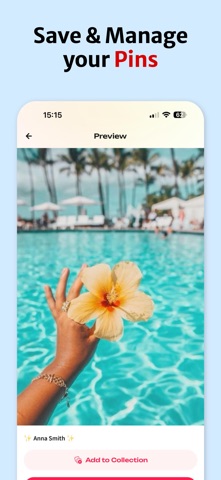

Icon palette
About this app
PinSaver: ваш лучший помощник Pinterest Откройте для себя самый умный способ сохранять, управлять и пересматривать любимые пины Pinterest без усилий! PinSaver создан для улучшения вашего опыта работы с Pinterest, предлагая мощные инструменты для организации и защиты вашего вдохновения. Основные функции: Легкое сохранение пинов Быстро и легко сохраняйте любой пин из Pinterest. Будь то потрясающие изображения, увлекательные видео или вдохновляющие GIF-файлы, PinSaver поможет вам. Пользовательские коллекции Создавайте персонализированные коллекции в приложении. Организуйте свои пины локально, чтобы ваши вдохновения были аккуратными, доступными и готовыми, когда бы они вам ни понадобились. Интуитивно понятный и красивый пользовательский интерфейс Испытайте элегантный, удобный интерфейс, разработанный для легкой навигации и максимальной простоты. Сохранение и управление пинами никогда н…
App details
What you can learn from PinSaver: Скачать из Пинтерест
Every shipping app on the App Store has gone through the same decisions you're working through right now: which screenshot goes first, what caption sits over it, which device frame to show, what color the background should be. The 3 screenshots above are PinSaver: Скачать из Пинтерест's answers to those questions — they're public, they're real, and they made it through Apple's review.
Notice the first screenshot in particular. It's the one users see in search results and on the product page, and it's where most apps spend their best caption and tightest design. Look at the proportion of background to phone, where the text sits, what one thing the image is trying to communicate.
Want to see how other Photo & Video apps approach the same problem? Browse more Photo & Video apps in the showcase.
Take what works into your own screenshots
Open LaunchShots and design your App Store & Google Play screenshots — pick a device frame, drop captions, ship in minutes. Free, in your browser.
Open the screenshot editor →